Portrait with dog: you and your dog together
To make a portrait with dog and owner together, upload one photo of yourself and one photo of your dog. The two photos can come from different days. Then pick a scene, such as Autumn walk, and check the free preview. If both faces look right, one credit returns the clean HD file.
By The Easelpaw team (Product and testing). Last updated .
1. A photo of you
JPG, PNG or WebP up to 12 MB
Face toward the camera, good light, just you in the photo.
2. A photo of your pet
JPG, PNG or WebP up to 12 MB
One pet, face visible. You do not need a photo together.
We delete your photos as soon as the picture is made. Only upload photos of yourself or of people who agreed to it.
How to make a portrait with dog and owner, step by step
- First of all, pick a photo of yourself with a sharp face in soft daylight.
- Then pick a photo of your dog where it sits or stands and looks at the camera.
- Next, upload both in the You + your pet tab, as JPG, PNG or WebP files.
- Now choose a scene, for example Autumn walk or Mountain trail.
- Finally, compare both faces on the free preview before you spend a credit.
The first 2 previews each day are free. After that, see the pricing page for packs and plans, or read how we test the tool.
Portrait with dog tested with two separate photos
We sent two separate test photos through the same scene prompt this page uses. The person is illustrative: an image model made that photo, so it shows no real person. So compare both photos with the picture that came back, and judge the likeness yourself.
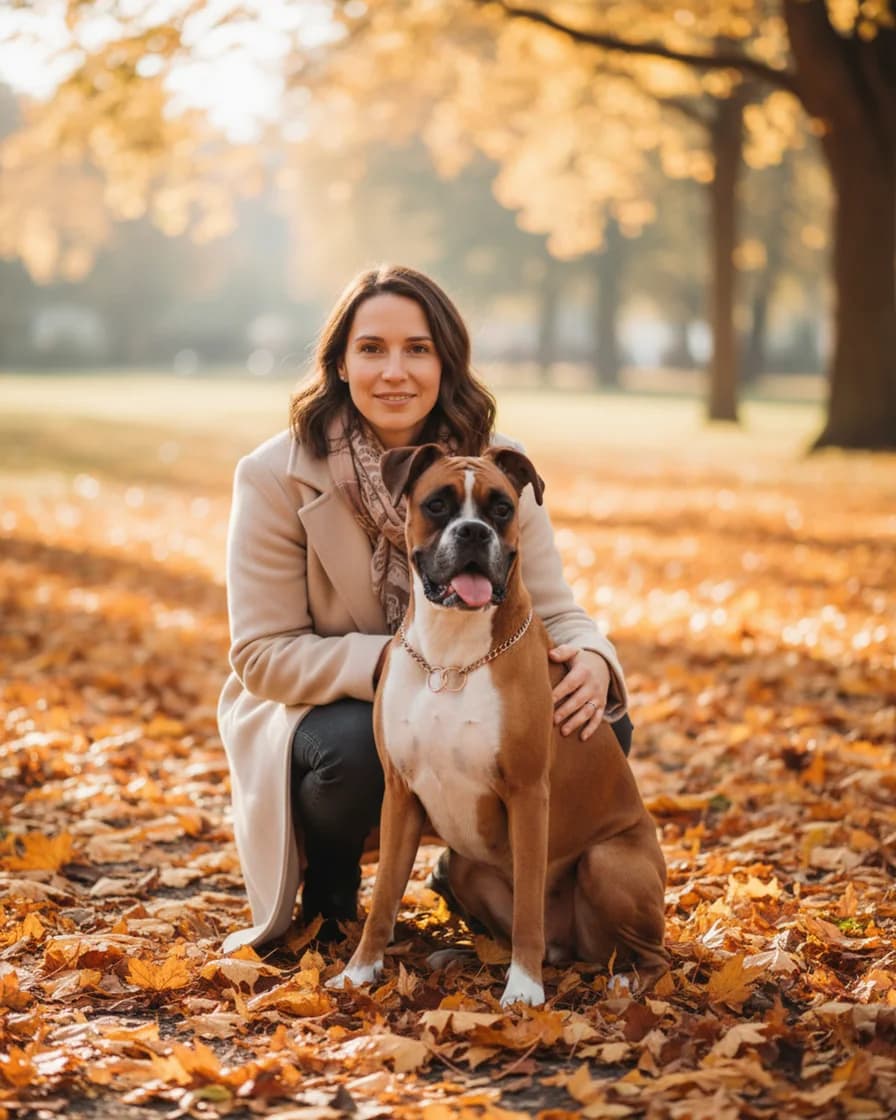

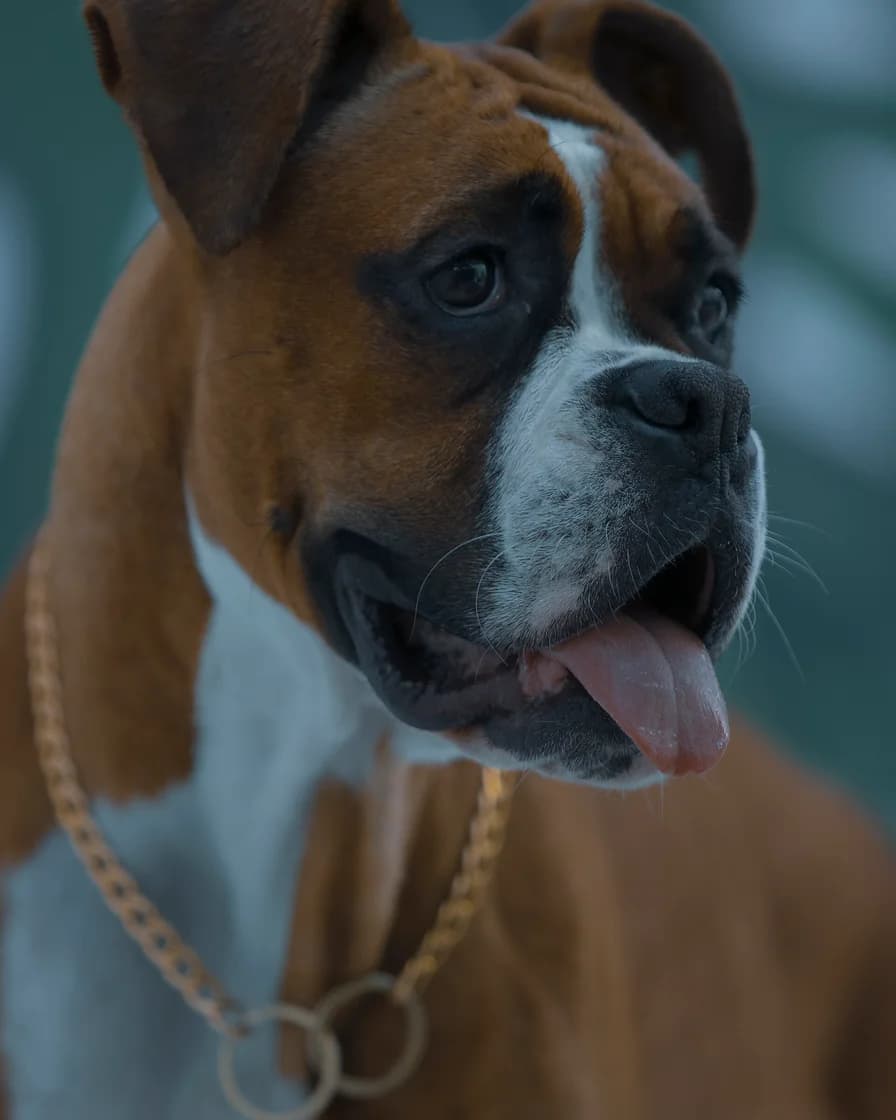
- Test photo
- Two separate photos: an illustrative photo of a woman and a boxer dog photo
- Result
- Autumn walk scene, both in one picture
- HD file
- 2048 x 2560 px JPG
- Print size at 256 dpi
- 8 x 10 in
- Free preview
- 1024 x 1280 px, watermarked
- Made by
- gemini-2.5-flash-image
- Scene prompt
- 146 words
- HD file size
- 1,087 KB
How we test: every scene gets the same illustrative person and the same pet photo, and we compare both faces with the photos by hand. More on the about page.
Why a portrait with dog and owner is hard to shoot
Anyone who has tried knows the problem. The dog looks away, pulls on the leash or licks your face at the wrong second. Meanwhile, the person holding the phone is usually you, so you stay out of the frame.
That is why this tool starts from two separate photos. You pick your best photo of yourself and your best photo of the dog. Then an image model puts you together in one scene. As a result, nobody has to sit still at the same time.
Still, be clear about what you get. It is a generated picture in the look of a photograph, not a photo of a real walk. The model invents the park, the light and your clothes.
Scenes that suit a portrait with dog
Dogs love the outdoors, so the four Outdoors scenes are the natural start. Autumn walk puts you on a park path covered in leaves. By the sea gives a beach at sunset, while Mountain trail shows a rest stop with a wide view. Meadow picnic adds a blanket and late afternoon light.
For a calmer picture, try Sofa Sunday or Window seat instead. In addition, Studio portrait and Black and white work well for a frame on the wall. Snow day and Holiday card cover the winter months.
Dog photos that work best
Choose a photo where your dog faces the camera with both eyes open and both ears in view. A photo from the height of its eyes works better than one from above, because the face keeps its real shape.
Size matters too. The prompt asks the model to keep the breed and the real size. So a photo that shows the whole body gives the model more to go on. Also, a dark coat needs good light, or the eyes get lost.
Take off a harness or a coat when you want the dog without it. However, the model can still change small details, such as a collar or the exact pattern of spots.
Printing a portrait with dog for a frame or a gift
The HD file is a 2048 x 2560 px JPG without a watermark. It prints at 8 x 10 inches at 256 dpi, so a standard frame fits. Larger prints work too, but they look softer up close.
We sell the digital file only, so you choose the print shop and the frame. For example, it makes a kind gift for a dog owner who appears in none of their own photos. However, tell them that a model made the scene.
When a portrait with dog from two photos is the wrong pick
Skip it when you want a true record of a day with your dog. In that case, book a photographer or ask a friend to hold the camera. A real family session also beats this tool, because we fit one person and one dog only.
It is also a poor match for two dogs. Each picture holds one animal, so a second dog needs its own picture. Finally, faces can drift a little. Check the free preview first, since the HD button returns that exact picture.
Portrait with dog: files, scenes and sizes
| Item | Details |
|---|---|
| What you upload | Two photos: one of you, one of your dog |
| Photo files | JPG, PNG or WebP, up to 12 MB each, at least 256 px per side |
| Outdoor scenes | By the sea, Autumn walk, Mountain trail, Meadow picnic |
| Other scenes | Three Cozy, three Studio and two Seasonal scenes |
| Who fits in one picture | One person and one dog |
| Free preview | 1024 x 1280 px with a watermark |
| HD file | 2048 x 2560 px JPG, vertical 4:5, one credit |
| Print size | 8 x 10 inches at 256 dpi |
Portrait with dog FAQ
Do my dog and I need to be in the same photo?
No. You upload one photo of yourself and one photo of your dog. They can come from different days and places, because the model builds a new scene around you both.
Can I add a second dog to the portrait?
No. Each picture holds one person and one dog. Instead, make one picture per dog, since every picture starts from its own two photos.
Is a portrait with dog free to try?
Yes. The free daily previews need no account and no card, but each one has a watermark. After the preview, one credit returns the clean HD file.
Will the picture keep the breed and size of my dog?
Usually, yes. The prompt tells the model to keep the breed, size, face, eye color, coat colors and markings. However, small details can change, so check the free preview before you pay.
Can I use an old photo of a dog that passed away?
Yes. Any clear photo works, as long as it has at least 256 px per side. So the picture can serve as a tribute. However, a model generates the scene, so it is not a record of a real day.
Is this a real photo of me and my dog?
No. It looks like a photograph, but an image model generates it from your two photos. The model invents the place and your clothes.