Portrait with cat: you and your cat together
To make a portrait with cat and owner together, upload one photo of yourself and one photo of your cat. The cat does not have to pose with you. Then pick a scene, such as Sofa Sunday, and check the free preview. If both faces look right, one credit returns the clean HD file.
By The Easelpaw team (Product and testing). Last updated .
1. A photo of you
JPG, PNG or WebP up to 12 MB
Face toward the camera, good light, just you in the photo.
2. A photo of your pet
JPG, PNG or WebP up to 12 MB
One pet, face visible. You do not need a photo together.
We delete your photos as soon as the picture is made. Only upload photos of yourself or of people who agreed to it.
How to make a portrait with cat and owner, step by step
- First of all, find a photo of your cat with both eyes open and the whole head in view.
- Then pick a photo of yourself with a sharp face in soft light.
- Next, upload both in the You + your pet tab, as JPG, PNG or WebP files.
- Now choose a scene, for example Sofa Sunday or Window seat.
- Finally, compare the coat pattern and both faces on the free preview before you spend a credit.
The first 2 previews each day are free. After that, see the pricing page for packs and plans, or read how we test the tool.
Portrait with cat tested with two separate photos
We sent two separate test photos through the same scene prompt this page uses. The person is illustrative: an image model made that photo, so it shows no real person. So compare both photos with the picture that came back, and judge the likeness yourself.
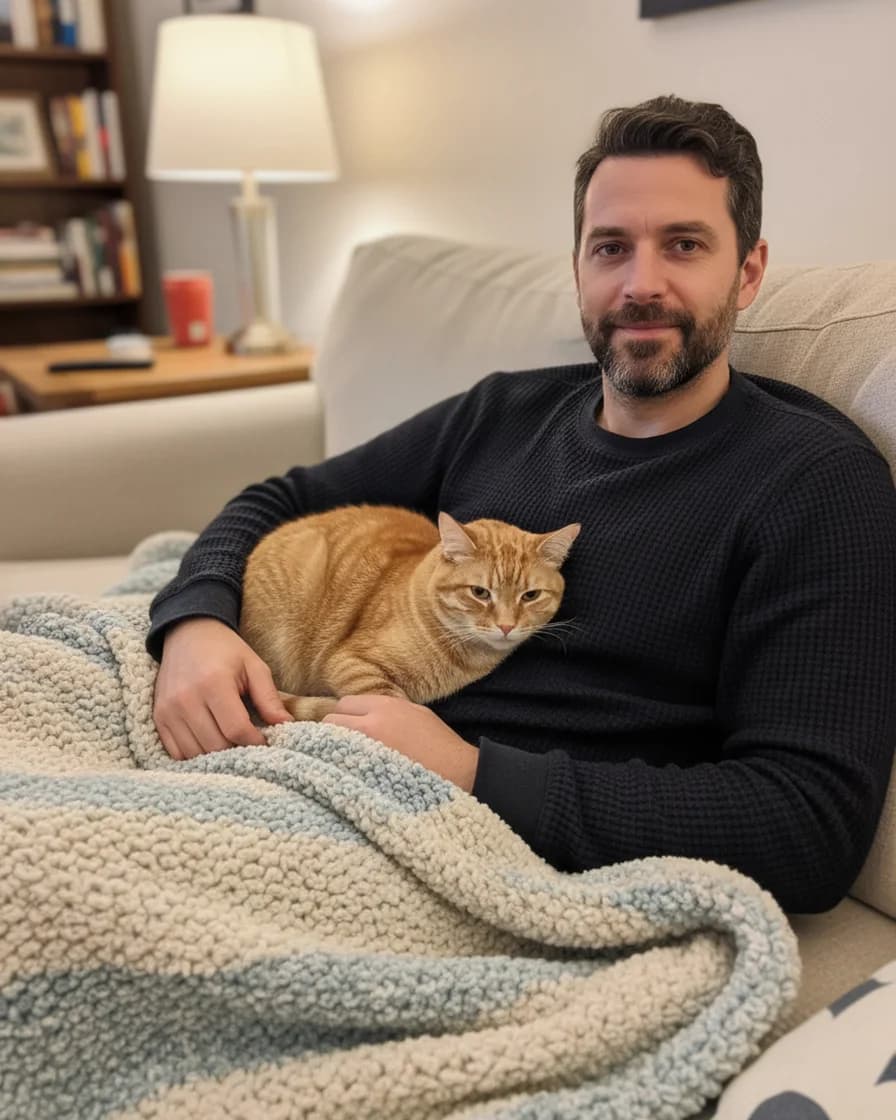

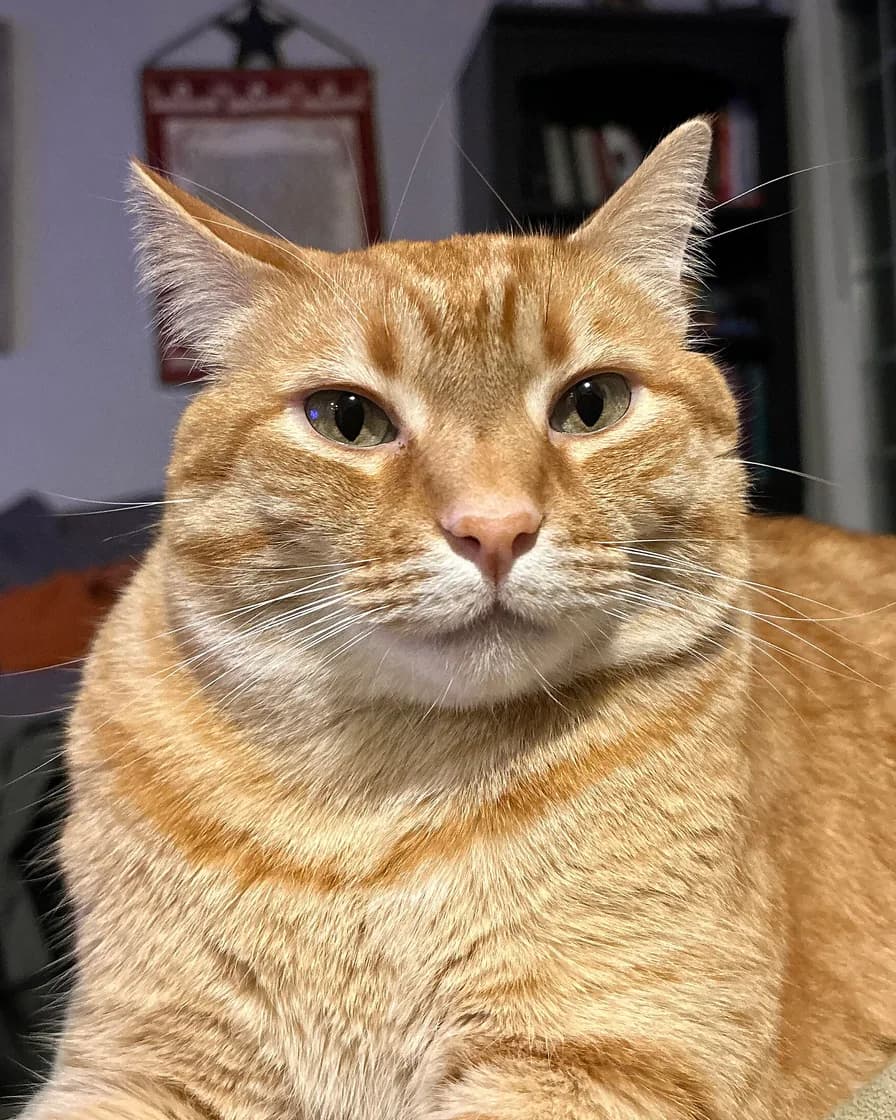
- Test photo
- Two separate photos: an illustrative photo of a man and a red tabby cat photo
- Result
- Sofa Sunday scene, both in one picture
- HD file
- 2048 x 2560 px JPG
- Print size at 256 dpi
- 8 x 10 in
- Free preview
- 1024 x 1280 px, watermarked
- Made by
- gemini-2.5-flash-image
- Scene prompt
- 144 words
- HD file size
- 993 KB
How we test: every scene gets the same illustrative person and the same pet photo, and we compare both faces with the photos by hand. More on the about page.
Why a portrait with cat needs two photos
Few cats pose on request. Pick one up for a photo, and it squirms, looks away or leaves. So you may have a phone full of cat photos and none with you in them.
Here, the cat never has to pose with you. You upload one photo of yourself and one of the cat, from any day. Then an image model places you both in one scene.
However, the result is a generated picture, not a photograph of a real moment. The model invents the room, and it also dresses you to suit the scene.
Scenes that suit a portrait with cat
Indoor scenes fit the way most cats live. Sofa Sunday puts you under a knitted blanket with the cat curled up against you. Window seat brings soft daylight, and Slow morning sets a kitchen table with a mug.
Cheek to cheek fills the frame with both faces, so it suits a cat with bright eyes. Studio portrait and Black and white give a plain backdrop instead.
You can still pick an outdoor scene, such as Meadow picnic, even when your cat never leaves the flat. After all, the model invents the place anyway.
Cat photos that work best
Start with a photo where the cat looks toward the camera with both eyes open. Soft window light works well, whereas a flash often makes the eyes glow. Also keep both ears and the whiskers inside the frame.
Coat pattern is the hard part. The prompt asks the model to keep the coat colors and markings. However, stripes on a tabby or patches on a calico can shift a little. So compare the pattern on the preview with your photo.
A black cat needs extra light, because a dark photo hides the face. For a cat with long hair, pick a photo that shows the full coat.
Printing and sharing your portrait with cat
The HD file is a 2048 x 2560 px JPG without a watermark. It prints at 8 x 10 inches at 256 dpi, so it fits a standard frame. Larger prints also work, but they look softer up close.
We sell the digital file only. So you print it at a shop of your choice, or you keep it as a phone wallpaper. If you share it online, say that a model made the scene, because it looks like a real photo.
When a portrait with cat from two photos is the wrong pick
Skip it when you want a true record of life with your cat. A generated picture shows a sofa you never sat on. So for a real family session, a photographer who visits your home is the better choice.
The tool also fits one person and one cat only. Therefore, a second cat needs its own picture. In addition, the model can change small details of a face. Check the free preview first, since the HD button returns that exact picture.
Portrait with cat: files, scenes and sizes
| Item | Details |
|---|---|
| What you upload | Two photos: one of you, one of your cat |
| Photo files | JPG, PNG or WebP, up to 12 MB each, at least 256 px per side |
| Cozy scenes | Sofa Sunday, Window seat, Slow morning |
| Other scenes | Four Outdoors, three Studio and two Seasonal scenes |
| Who fits in one picture | One person and one cat |
| Free preview | 1024 x 1280 px with a watermark |
| HD file | 2048 x 2560 px JPG, vertical 4:5, one credit |
| Print size | 8 x 10 inches at 256 dpi |
Portrait with cat FAQ
Does my cat have to be in the photo with me?
No. You upload one photo of yourself and one photo of your cat. They can come from different days, because the model builds a new scene around you both.
Can I add a second cat to the portrait?
No. Each picture holds one person and one cat. Instead, make one picture per cat, since every picture starts from its own two photos.
Is a portrait with cat free to try?
Yes. The free daily previews need no account and no card, but each one has a watermark. After the preview, one credit returns the clean HD file.
Will the picture keep the stripes and eye color of my cat?
Mostly, yes. The prompt tells the model to keep the breed, eye color, coat colors and markings. However, the exact pattern can shift, so check the free preview before you pay.
Can I choose an outdoor scene for an indoor cat?
Yes. The model invents the place, so your cat can sit on a beach or in a meadow. Still, a cozy scene such as Sofa Sunday often looks more natural.
Is this a real photo of me and my cat?
No. It looks like a photograph, but an image model generates it from your two photos. So the moment in the picture never happened.