Pet portrait from photo
To make a pet portrait from a photo, upload one clear JPG, PNG or WebP of your pet and pick one of ten styles. Then the painter repaints it as a vertical 4:5 portrait. Use soft daylight, shoot at eye level and fill the frame with the head and chest, because the photo decides the likeness.
By The Easelpaw team (Product and testing). Last updated .
1. Your pet photo
JPG, PNG or WebP up to 12 MB
One pet, face toward the camera, good light.
We delete your photos as soon as the picture is made. Only upload photos of yourself or of people who agreed to it.
How to make a pet portrait from a photo, step by step
- First, pick a sharp photo with soft daylight and both eyes showing.
- Then upload the JPG, PNG or WebP file, up to 12 MB.
- Next, choose one of the ten styles, such as Watercolor or Oil painting.
- After that, check the likeness on the free preview with the watermark.
- Finally, use one credit to get the clean HD file for printing.
The first 2 previews each day are free. After that, see the pricing page for packs and plans, or read how we test the tool.
Pet portrait from photo tested with a real photo
We sent our own test photo through the same style prompt this page uses. So compare the photo with the portrait that came back, and judge the likeness yourself.
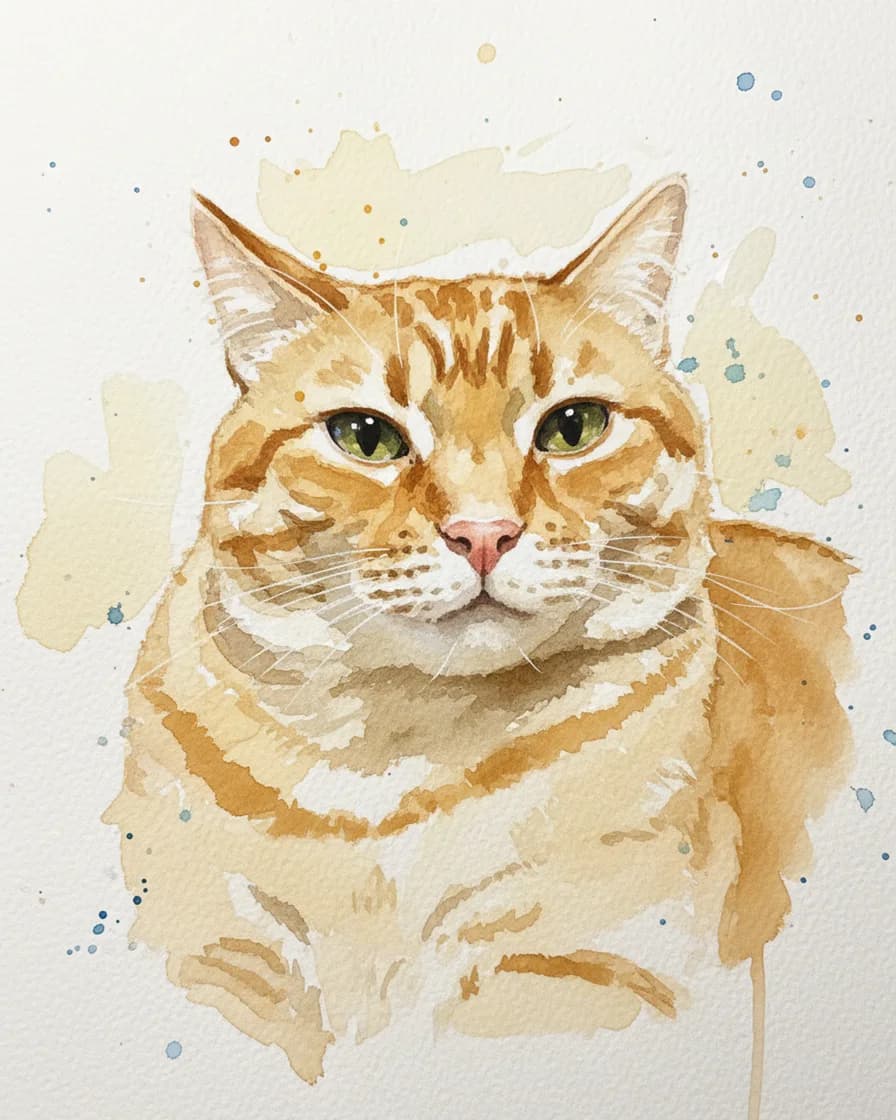
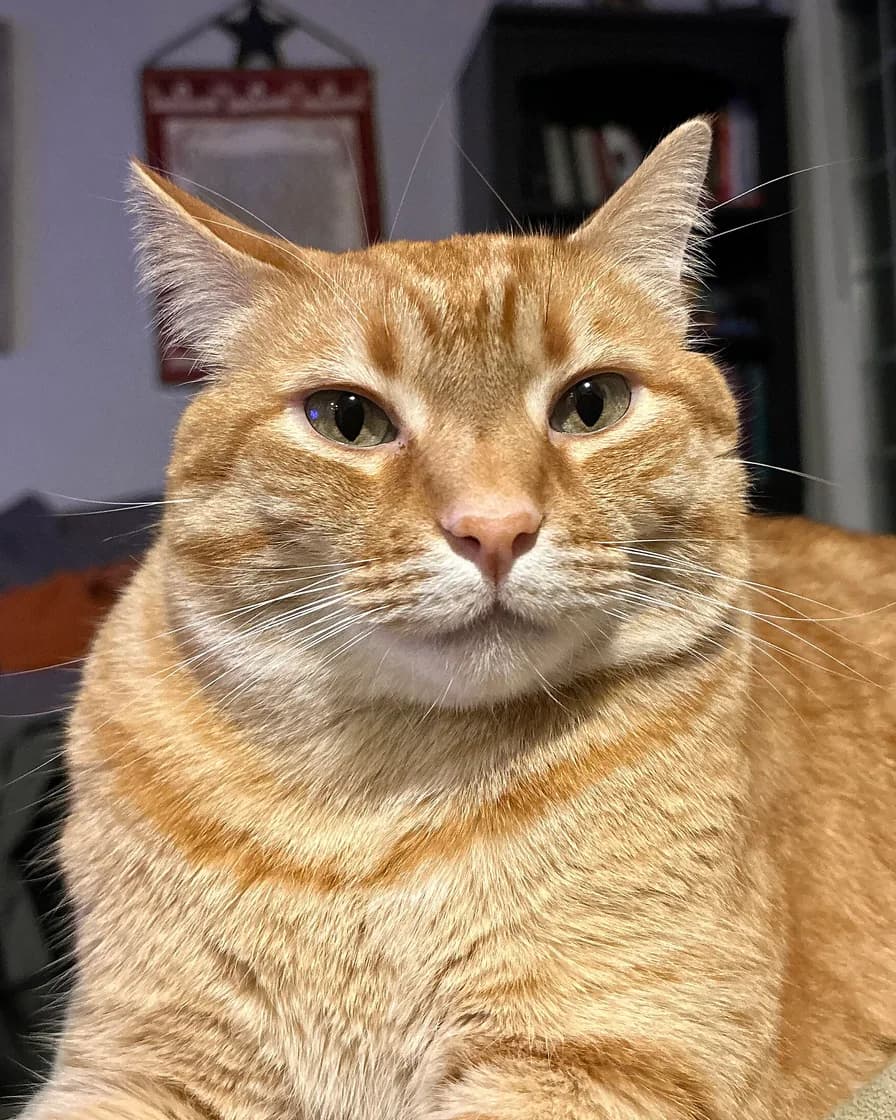
- Test photo
- Red tabby cat photo, 1920 x 2172 px, 1219 KB JPG
- Result
- Watercolor portrait
- HD file
- 2048 x 2560 px JPG
- Print size at 256 dpi
- 8 x 10 in
- Free preview
- 1024 x 1280 px, watermarked
- Made by
- gemini-2.5-flash-image
- Style prompt
- 95 words
- HD file size
- 1,147 KB
How we test: every style gets the same two photos, and we compare each portrait with its photo by hand. More on the about page.
What light works best for a pet portrait from a photo
Soft daylight gives the painter the most to work with. So place your pet near a window, or step outside on a cloudy day. Then the fur shows its real color and the eyes stay bright.
Direct noon sun causes trouble, because it burns out white fur and fills the eye sockets with shadow. A flash is also risky. It flattens the face and often makes the eyes glow green. Instead, turn the flash off and move closer to the window.
Dark rooms fail for another reason. The phone pushes its sensor hard, so the fur turns into grainy mush. As a result, the model has to guess the markings, and a guess can miss.
The right angle and distance
First, get down to the eye level of your pet. A shot from above makes the head look big and the body small. In contrast, a level shot looks like a sitter posing for a painter.
Next, think about the crop. The tool cuts every upload to a vertical 4:5 shape around the center. Therefore, keep the head and chest in the middle and leave a little space above the ears. Otherwise the crop may slice off an ear or the chin.
Distance matters too. Stand three to six feet away, then zoom a little instead of pushing the phone into the nose. A wide lens up close stretches the snout. However, a pet that looks tiny in the frame leaves few pixels for the face.
A front view or a slight turn to one side both work. Still, both eyes should show, because the style prompt asks the model to keep the eye color and the face shape.
What makes a pet portrait from a photo fail
Most weak results trace back to the upload. For example, motion blur smears whiskers and fur edges, so the painter invents them. A hand, a toy or a blanket over part of the face causes the same problem.
Two pets in one frame also confuse the result, since the prompt asks for one animal only. Likewise, a person holding the pet does not work, because the art styles do not paint people. So crop to one pet before you upload.
Small files fail early. Each side needs at least 256 pixels, although a larger picture holds far more detail. Heavy filters, stickers and text on the picture hurt as well. Finally, remember that the model can change small things, such as a collar or the exact pattern of spots. That is why the free preview comes first.
How to print and gift the result
One credit returns a clean 2048 x 2560 px JPG with no watermark. That file prints at 8 x 10 inches at 256 dpi. Larger sizes, such as 11 x 14 or 16 x 20 inches, also work, but they look softer up close.
The file has a 4:5 shape, so a standard 8 x 10 frame fits with no extra cropping. Then order the print from any photo lab you like, because we do not print, frame or ship.
When a pet portrait from a photo is not the right choice
Sometimes this tool is the wrong pick. It returns a digital file only, and it is not a hand-painted original. So if you want real paint on canvas, hire a painter instead.
Old, tiny or blurry pictures of a pet that has passed away are hard too. The painter can only work from what the picture shows. Still, the two free previews a day cost nothing. So try your sharpest picture and judge the likeness yourself.
Photo requirements at a glance
| Item | What the tool accepts or returns |
|---|---|
| File types | JPG, PNG or WebP |
| Largest file | 12 MB |
| Smallest photo | 256 px on each side |
| Largest photo | 60 megapixels (16 megapixels for progressive JPG, interlaced PNG and 16-bit files) |
| Crop | Vertical 4:5 around the center |
| Free preview | 1024 x 1280 px WebP with a watermark |
| HD portrait | 2048 x 2560 px JPG, no watermark |
| Print size | 8 x 10 inches at 256 dpi |
| Styles | Ten, from Royal and Renaissance to Pencil sketch and Soft pastel |
Pet portrait from photo FAQ
What kind of photo works best for a pet portrait?
A sharp photo in soft daylight works best. Shoot at eye level, keep both eyes in view and fill the frame with the head and chest. Also, use one pet per photo.
Can I use an old or blurry photo?
You can try, but expect a weaker likeness. The painter works from what it sees, so blur forces it to guess. Therefore, test the picture on a free preview before you spend a credit.
Does the photo need a plain background?
No. Each style paints its own background, so a busy room behind your pet is fine. However, the face must stand out from whatever sits behind it.
What file types and sizes can I upload?
You can upload a JPG, PNG or WebP up to 12 MB. Each side needs at least 256 pixels. In addition, the picture can hold up to 60 megapixels.
Is it free to turn a pet photo into a portrait?
Yes, within limits. You get two free previews a day with no account and no card. Each free preview is a 1024 x 1280 px WebP with a watermark, while a paid credit returns the clean HD file.
Do you keep my photo?
No. The photo goes to the model provider for that one request. We hold it in memory only, so we do not store the photo or the portrait on our servers.
Can I upload a photo of two pets, or of me with my pet?
One pet per photo works best, because the style prompt asks for one animal. In addition, the art styles do not paint people with pets. So crop the picture to a single pet first.