Dog portrait generator
To use the dog portrait generator, upload one clear photo of your dog and pick one of ten styles, such as Royal or Watercolor. Then the painter repaints your dog as a vertical 4:5 portrait. It keeps the breed, the coat colors, the markings and the ear shape, so the dog stays yours.
By The Easelpaw team (Product and testing). Last updated .
1. Your pet photo
JPG, PNG or WebP up to 12 MB
One pet, face toward the camera, good light.
We delete your photos as soon as the picture is made. Only upload photos of yourself or of people who agreed to it.
How to use the dog portrait generator, step by step
- First, take a sharp photo of your dog at eye level in soft daylight.
- Then upload the JPG, PNG or WebP file, up to 12 MB.
- Next, pick a style, for example Royal for a grand look.
- After that, check the coat, the ears and the markings on the free preview.
- Finally, use one credit to get the clean HD file for an 8 x 10 print.
The first 2 previews each day are free. After that, see the pricing page for packs and plans, or read how we test the tool.
Dog portrait generator tested with a real photo
We sent our own test photo through the same style prompt this page uses. So compare the photo with the portrait that came back, and judge the likeness yourself.
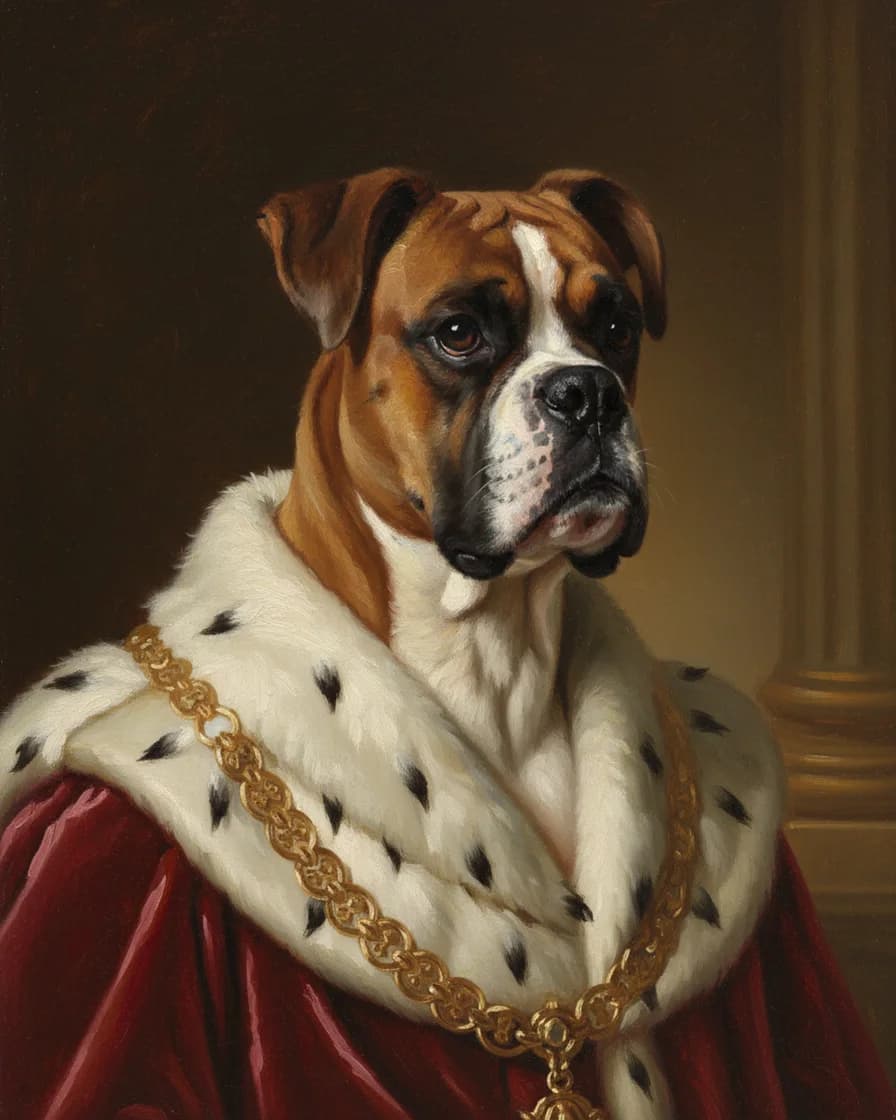
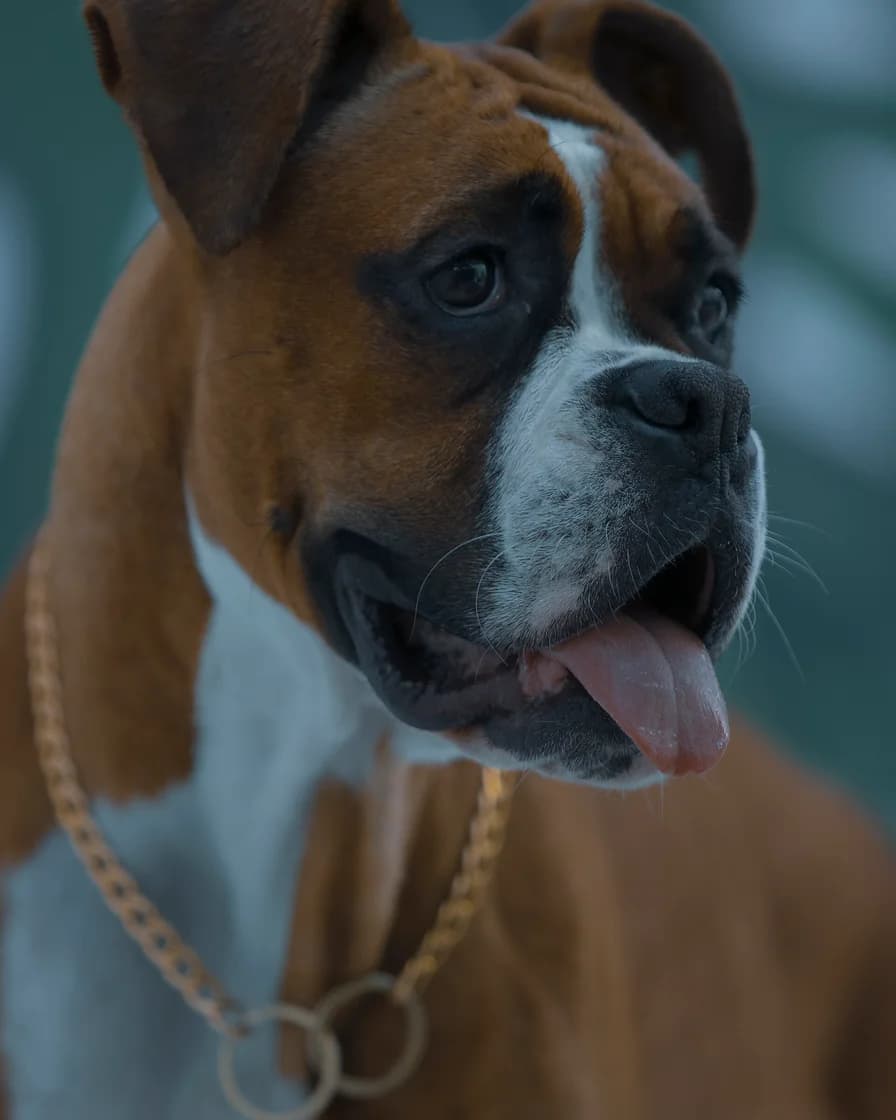
- Test photo
- Boxer dog photo, 1920 x 2880 px, 584 KB JPG
- Result
- Royal portrait
- HD file
- 2048 x 2560 px JPG
- Print size at 256 dpi
- 8 x 10 in
- Free preview
- 1024 x 1280 px, watermarked
- Made by
- gemini-2.5-flash-image
- Style prompt
- 103 words
- HD file size
- 1,066 KB
How we test: every style gets the same two photos, and we compare each portrait with its photo by hand. More on the about page.
How the dog portrait generator keeps the likeness
An image model repaints the photo from a written style prompt. Each prompt tells the model to keep the same species, breed, face shape, eye color, coat colors, markings and ear shape. So a Boxer with a white blaze should come back as a Boxer with a white blaze.
We test every style with a photo of a Boxer. In the Royal style, for example, the dog gets a red velvet robe, an ermine collar and a gold chain. However, the model can change small details, such as a collar or the exact pattern of spots. Therefore, check the free preview first.
How to photograph a black dog
Black coats are the hardest. In dim light, the camera sees one dark shape with two eyes. As a result, the painter has no fur detail to copy.
So take the dog outside into open shade, or next to a big window. Soft light from the side shows the shine and the direction of the fur. Then tap the face on your phone screen, so the camera exposes for the coat and not for the bright background.
Avoid a dark sofa or a black blanket behind a black dog, because a lighter backdrop helps the outline of the head. Also skip the flash. It leaves a flat face and glowing eyes.
Long snouts, flat faces and floppy ears
A long snout causes a different problem. Up close, a phone lens stretches the nose and shrinks the eyes. So step back about six feet and zoom in a little. For a Collie or a Greyhound, a slight turn of the head also shows the true length of the muzzle.
Flat faces, such as a Pug or a Bulldog, need light on the wrinkles. Otherwise the folds merge into one shadow.
Ears carry a lot of character. The style prompt asks the model to keep the ear shape, but it can only keep what it sees. Therefore, make sure both ears sit inside the frame. Wait until floppy ears hang in their normal way, or until pricked ears stand up. The tool crops to a 4:5 shape around the center, so leave space above tall ears.
How to get a dog to hold still
A moving dog means a blurry photo. First, go for a walk, because a calm dog sits longer. Then ask for a sit and hold a treat or a squeaky toy right above the phone.
Use burst mode and shoot a dozen frames. Later, pick the sharpest one with both eyes open. A helper who stands behind you and calls the dog by name also works well.
Keep each session short. Most dogs give you a few good minutes, so stop before yours loses interest.
Which style suits which dog
Royal and Renaissance suit dogs with a serious face, such as a Boxer or a Mastiff, because the costume plays against the look. Cartoon and Pop art, in contrast, suit goofy dogs with open mouths. For a senior dog or a memorial, Soft pastel and Pencil sketch stay gentle.
When this dog portrait generator is not the right choice
The tool paints one dog per photo. So a group shot of the whole pack will not work well, and the art styles do not paint people with pets. It also returns a digital file only, with no print, frame or shipping.
It is not a hand-painted original either. If you want brush strokes on real canvas, hire a pet portrait artist instead. Still, the free daily previews cost nothing, so you can test the likeness before you decide.
Dog portrait generator facts
| Item | Detail |
|---|---|
| Styles | Ten: Royal, Renaissance, Watercolor, Oil painting, Cartoon, Pop art, Pencil sketch, Storybook, Anime and Soft pastel |
| Upload | One JPG, PNG or WebP, up to 12 MB |
| Smallest photo | 256 px on each side |
| Crop | Vertical 4:5 around the center |
| Free preview | 1024 x 1280 px WebP with a watermark |
| HD file | 2048 x 2560 px JPG, no watermark |
| Print size | 8 x 10 inches at 256 dpi |
| Portrait pack | $9.99 one time for 10 HD portraits |
| Our test photo | Boxer dog, 1920 x 2880 px |
Dog portrait generator FAQ
Is the dog portrait generator free?
You can try it for free. Two free previews a day need no account and no card, and each one carries a watermark. After that, one credit returns the clean HD file.
Does it work for any dog breed?
It should, because the style prompt tells the model to keep the breed it sees in your photo. However, our own test dog is a Boxer. So check the free preview for your breed.
Why does my black dog look like a dark blob?
The photo is too dark. Take a new one in open shade or by a window, then tap the face on your screen to set the exposure. After that, the painter can see the fur.
Can I upload a photo of two dogs?
You can, but one dog per photo works best. The style prompt asks for one animal only. So crop to a single dog, and paint each dog on its own.
Can I be in the portrait with my dog?
Not in the art styles, because they paint the dog alone. So crop yourself out first. For a photo-style picture of you both, open the You + your pet tab instead.
What size can I print a dog portrait?
The HD file prints at 8 x 10 inches at 256 dpi. Larger prints, such as 11 x 14 or 16 x 20 inches, also work but look softer up close.
Do you store the photo of my dog?
No. The photo goes to the model provider for that one request. We hold it in memory only, so we do not store the photo or the portrait on our servers.