This AI pet portrait generator puts you and your pet together in one picture. First, upload a photo of yourself and a photo of your pet. You do not need a photo of the two of you. Then pick one of twelve scenes and check the free preview. If you want the pet alone instead, the second tab paints it in ten art styles.
By The Easelpaw team (Product and testing). Last updated .
1. A photo of you
JPG, PNG or WebP up to 12 MB
Face toward the camera, good light, just you in the photo.
2. A photo of your pet
JPG, PNG or WebP up to 12 MB
One pet, face visible. You do not need a photo together.
We delete your photos as soon as the picture is made. Only upload photos of yourself or of people who agreed to it.
How the AI pet portrait generator works
Open the You + your pet tab and upload one clear photo of yourself.
Then upload one photo of your pet as a JPG, PNG or WebP file.
Next, pick one of the twelve scenes and wait for the free preview.
Finally, check both faces and use a credit for the clean HD file.
First, the server sends both photos to an image model with a written prompt for the scene you picked. That prompt tells the model to keep your face, age, hair, skin tone and build. It also asks for the same breed, size, eye color, coat colors and markings on your pet. Then the model invents the place and dresses you to suit it.
After that, the picture comes back to your browser in a vertical 4:5 shape. A free preview is 1024 x 1280 px with a watermark. A paid picture is a clean 2048 x 2560 px JPG instead, so it prints at 8 x 10 inches. We keep the photos in memory only, and we do not store them or the picture.
The second tab, Pet only, works from one photo. There, the server crops the photo to 4:5 around the center. Then the model repaints your pet in the art style you pick.
From a phone photo to an oil portrait
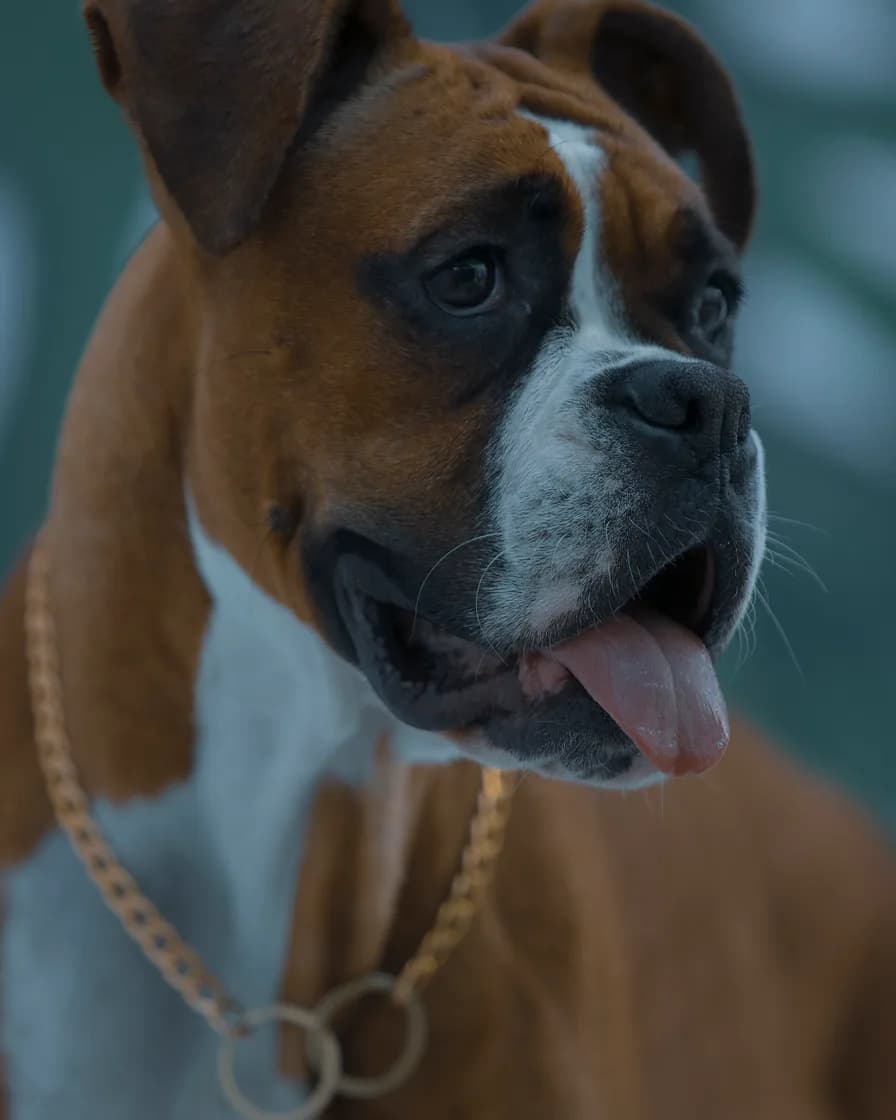
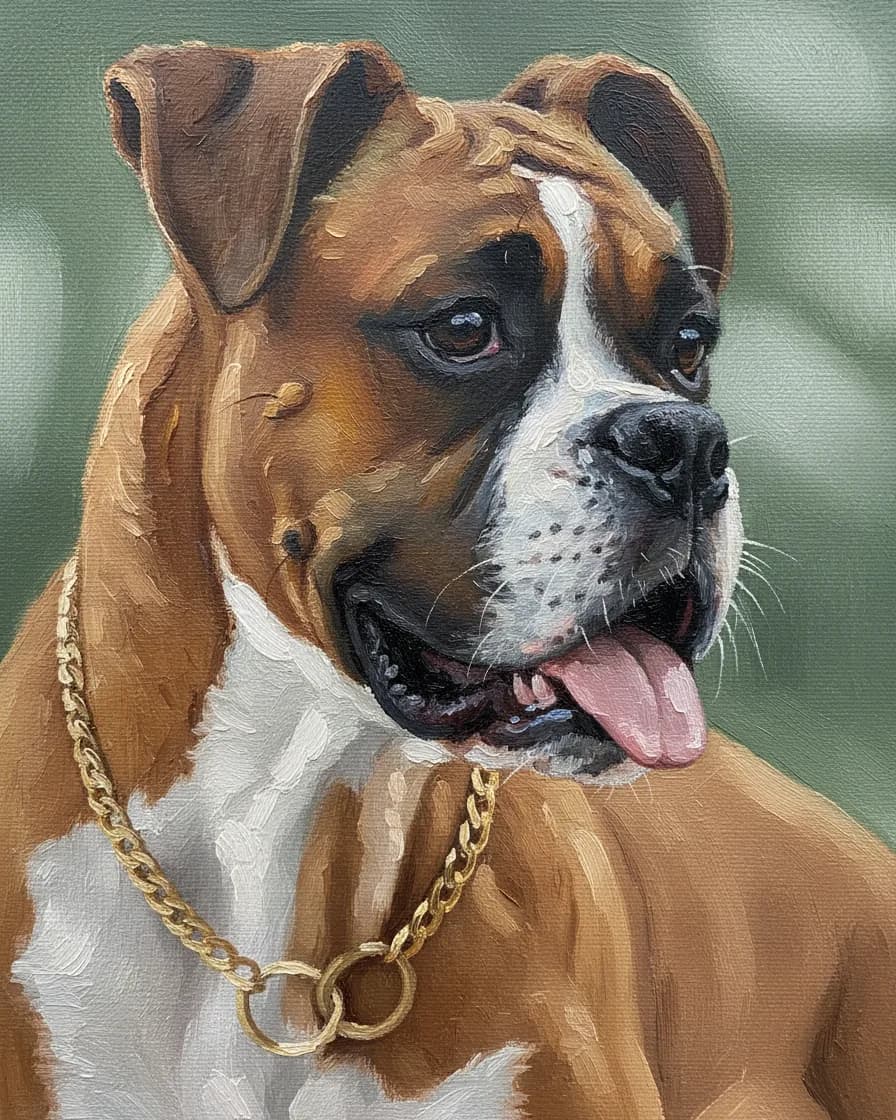
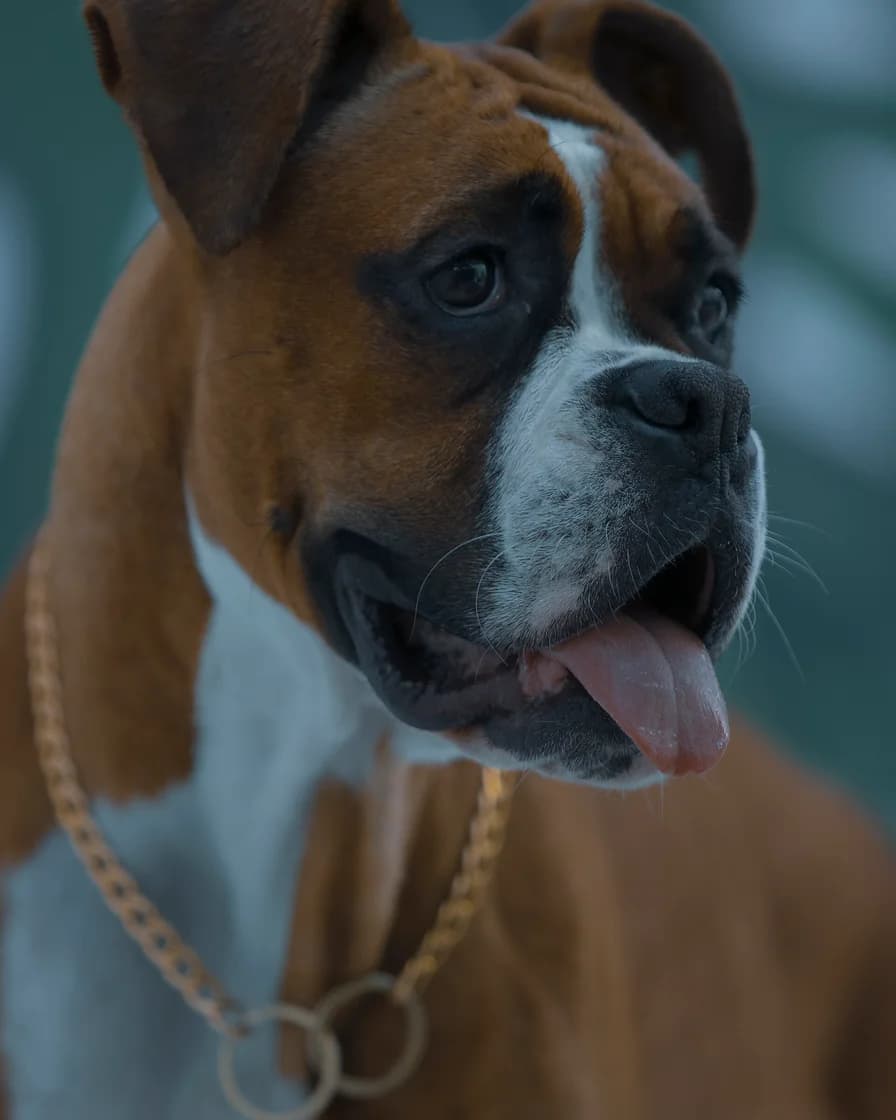
First, drag the seam. On the left is our CC0 Boxer test photo, cropped to 4:5 the way the tool crops every upload. On the right is the portrait the model painted from it in the Oil painting style, a recorded render from the same prompt this site sends. So you can check the white blaze, the ears and the chain yourself.
What the AI pet portrait generator paints
These six pictures are real results from the same two test photos, because the model painted them from the prompts this site sends. So scroll through the scenes and styles before you upload anything.

01Scene
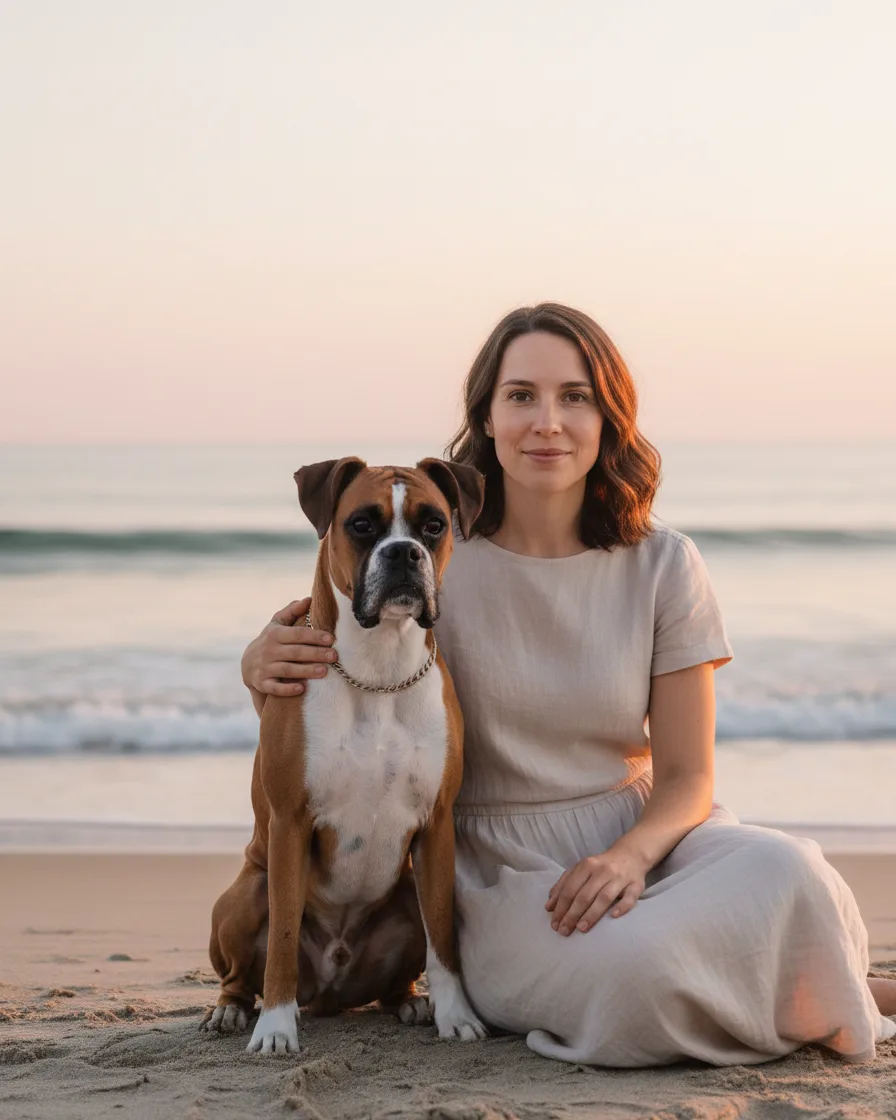
The AI pet portrait generator puts you both by the sea
First, two separate photos go in: one of a person and one of our Boxer. Then the model builds the beach, the light and the pose around both of them, so the two share one frame for the first time.
Learn more about The AI pet portrait generator puts you both by the sea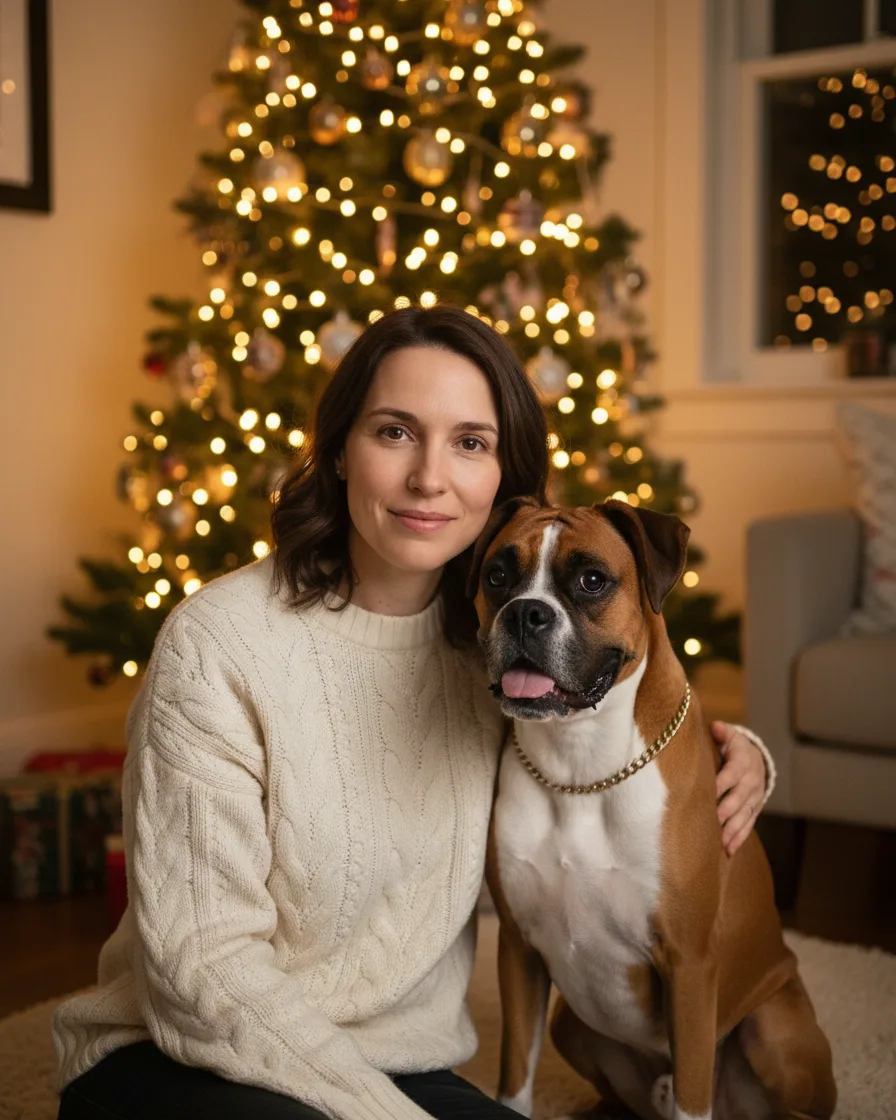

02Holiday card
A card for the holidays
Also, the Holiday card scene puts you both by a lit tree in warm sweaters. As a result, the picture is ready for a card, while the faces still come from your own photos.
Learn more about A card for the holidays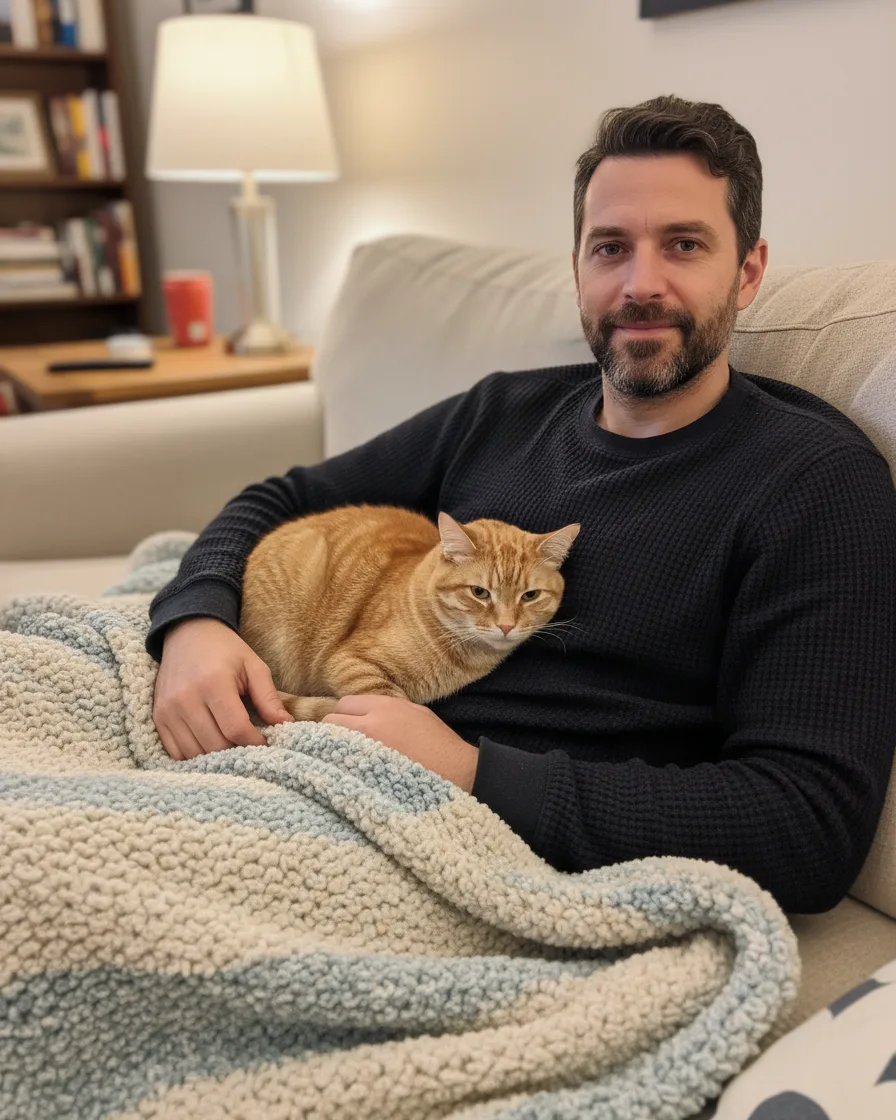

03Cats too
A Sunday on the sofa with a cat
Similarly, cats work the same way. Here an illustrative man and our tabby test cat share a sofa and a blanket, so the coat stripes and the eye color stay those of the cat photo.
Learn more about A Sunday on the sofa with a cat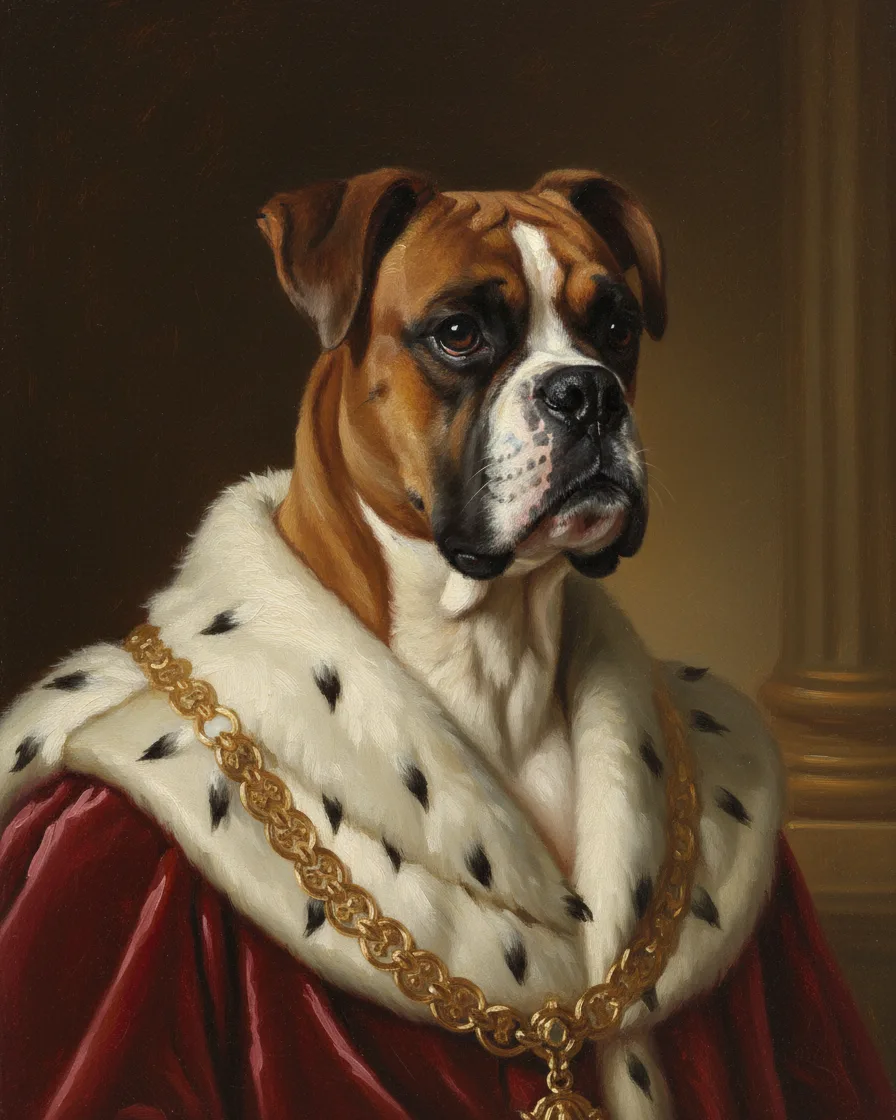

04Royal style
Your pet as royalty
Next, the Pet only tab paints the animal alone. For example, the Royal style dresses our Boxer in a velvet robe with a gold chain against a dark studio wall.
Learn more about Your pet as royalty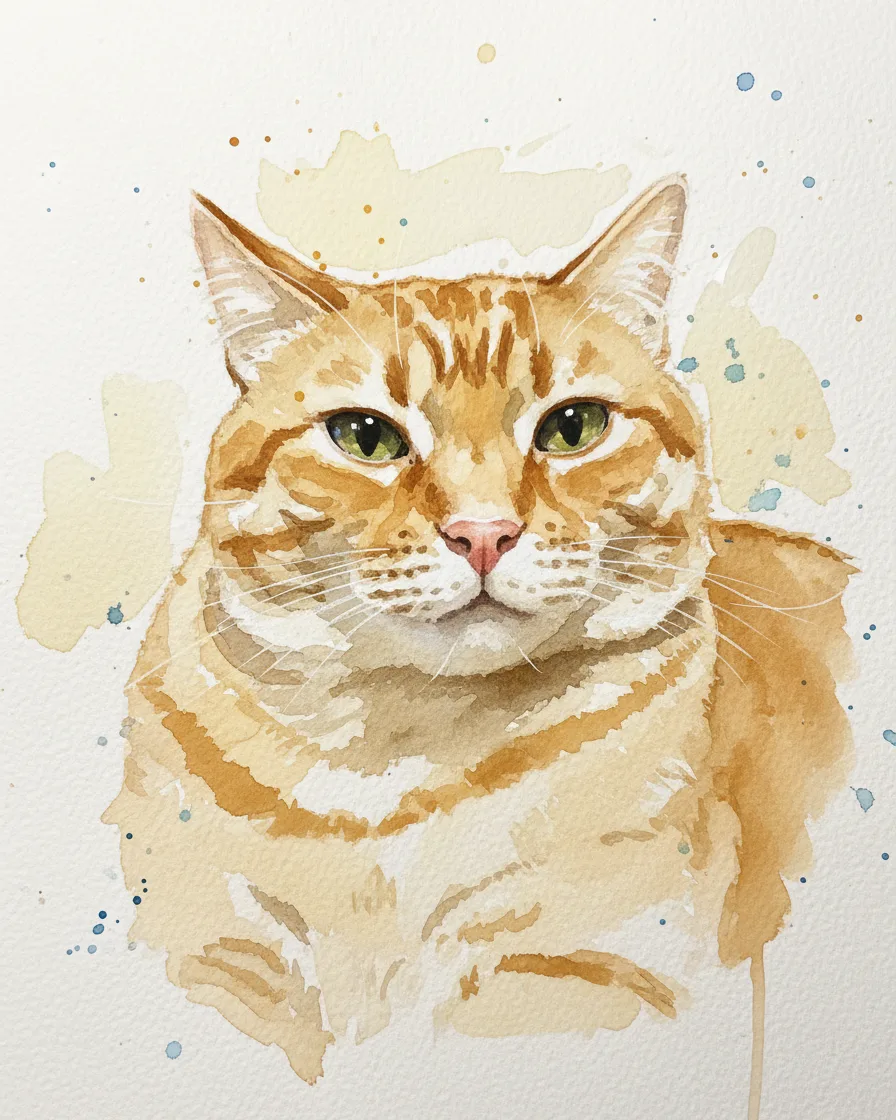

05Watercolor
Soft watercolor on white paper
In contrast, the Watercolor style keeps it light: loose washes, paper showing through and a few drips, here on our tabby cat photo.
Learn more about Soft watercolor on white paper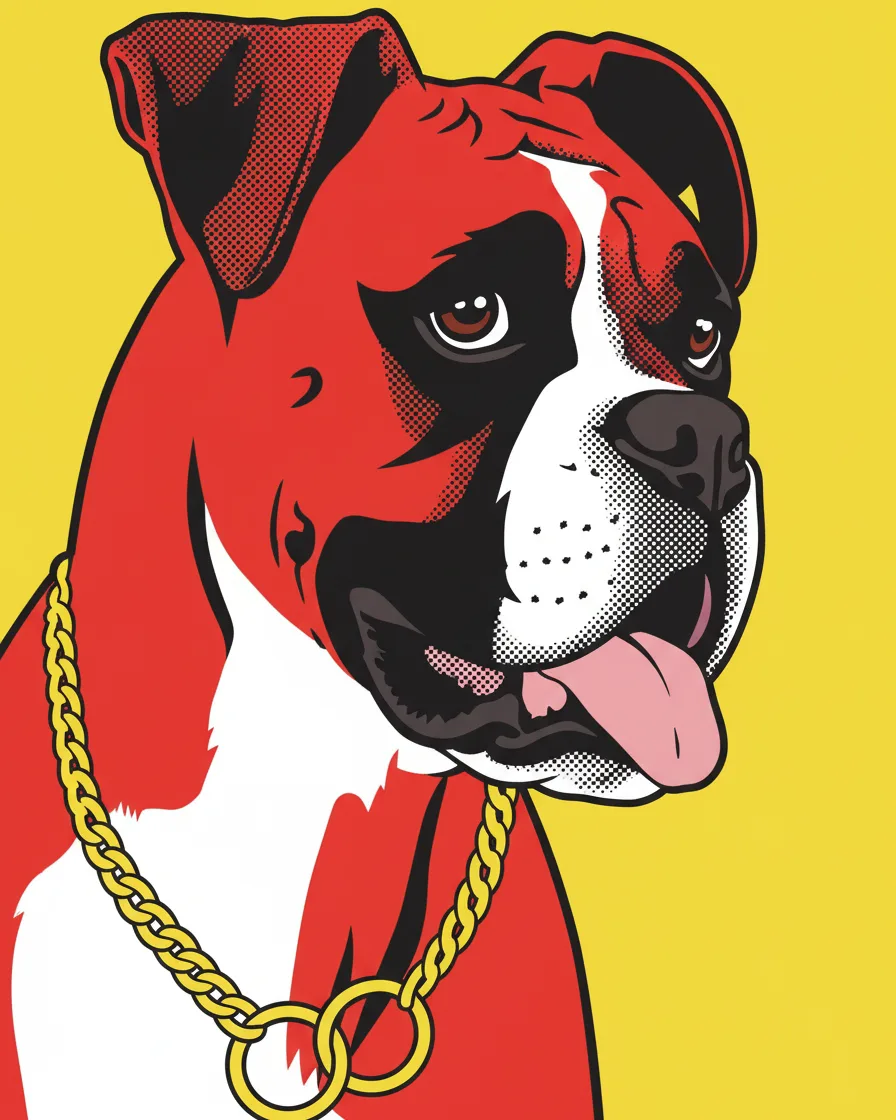

06Pop art
Loud pop art for a bright wall
Finally, Pop art goes the other way, with flat red and yellow and a thick black line. Every style starts from the same photo, so only the prompt changes.
Learn more about Loud pop art for a bright wall
Two photos, one free preview
Upload a photo of you and one of your pet, then pick a scene. Also, the preview is free and needs no account.
Twelve scenes, two photos
Below are all twelve scenes, each from the same two separate test photos. The first is an illustrative woman. She is not a real person, because an image model made her photo. The second is our CC0 Boxer photo. So every picture shows two subjects that never shared a frame.
Ten styles, one photo
The second tab paints your pet alone. Below is our Boxer test photo in all ten styles, so you can compare them before you upload anything. Every picture came from the same photo and the same model. As a result, the only thing that changes is the style prompt.
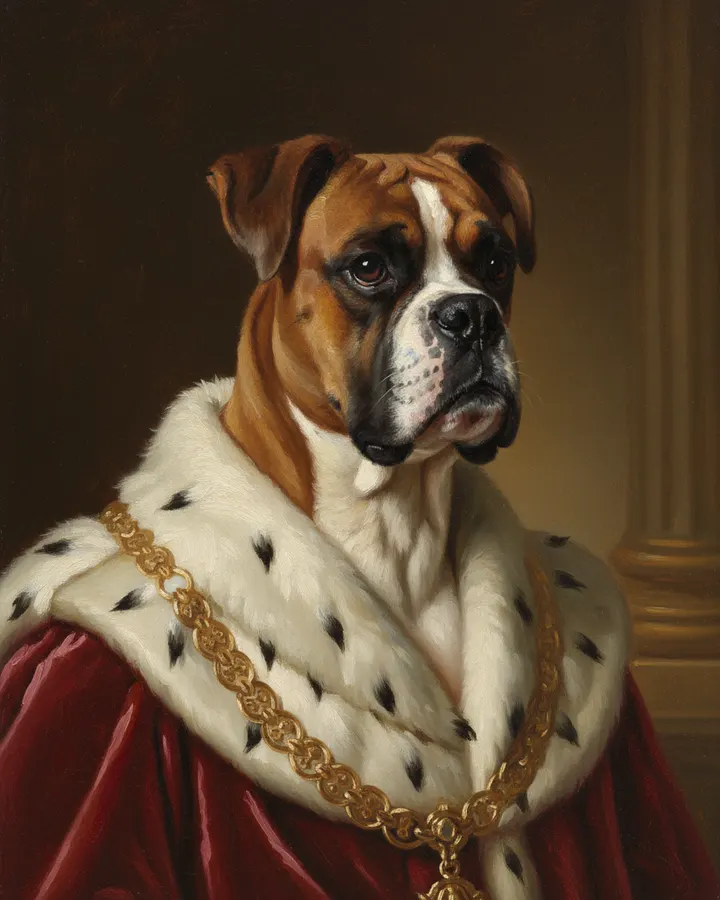
Royal
Velvet robe, gold chain, dark studio. Its own page shows the full test and tips.
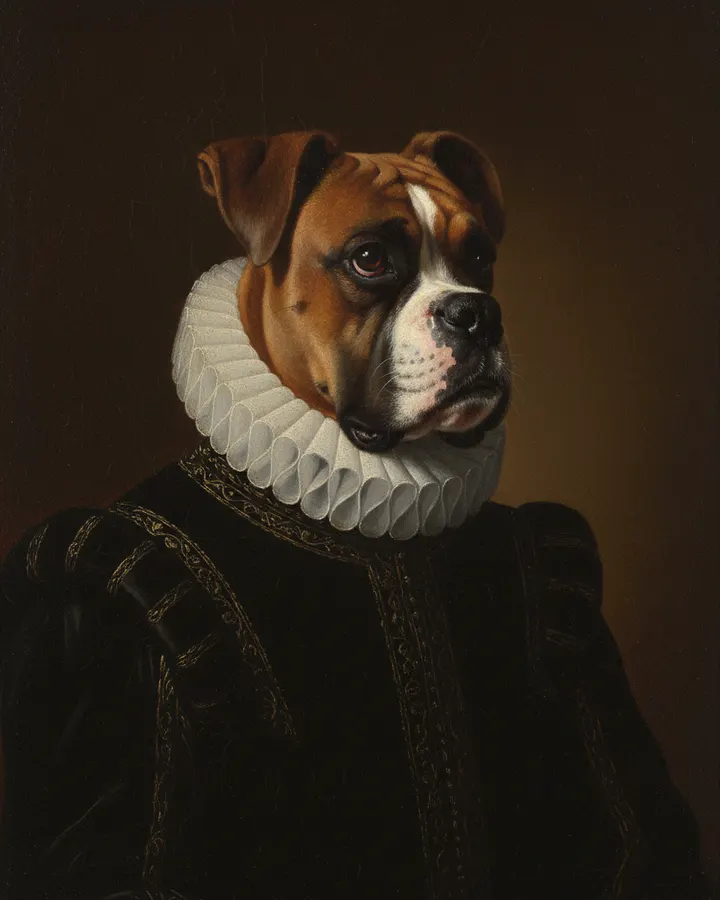
Renaissance
Old master light, ruff collar. Its own page shows the full test and tips.
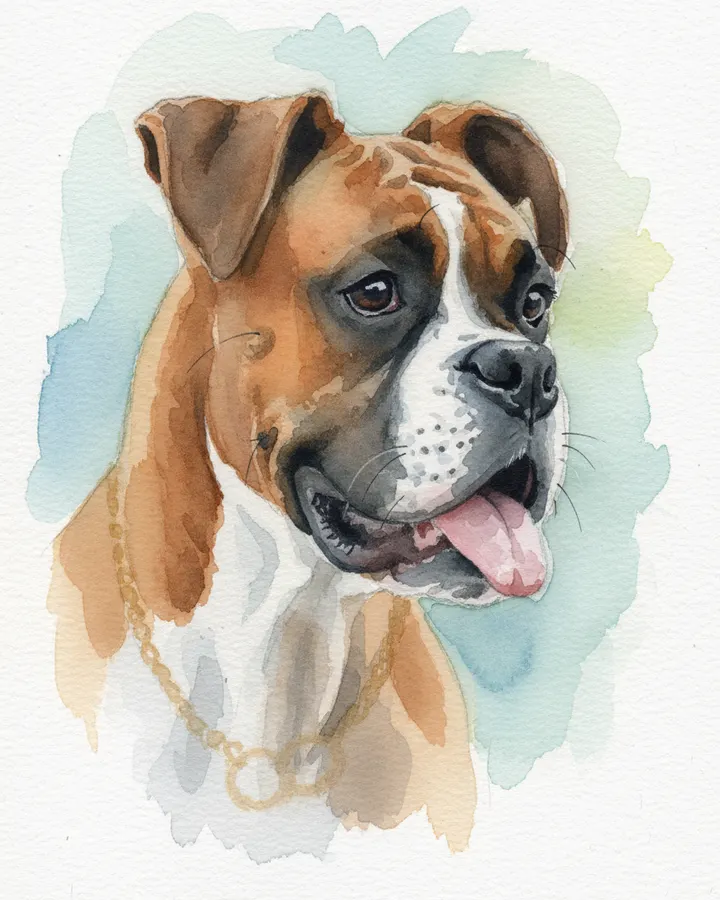
Watercolor
Loose washes on white paper. Its own page shows the full test and tips.
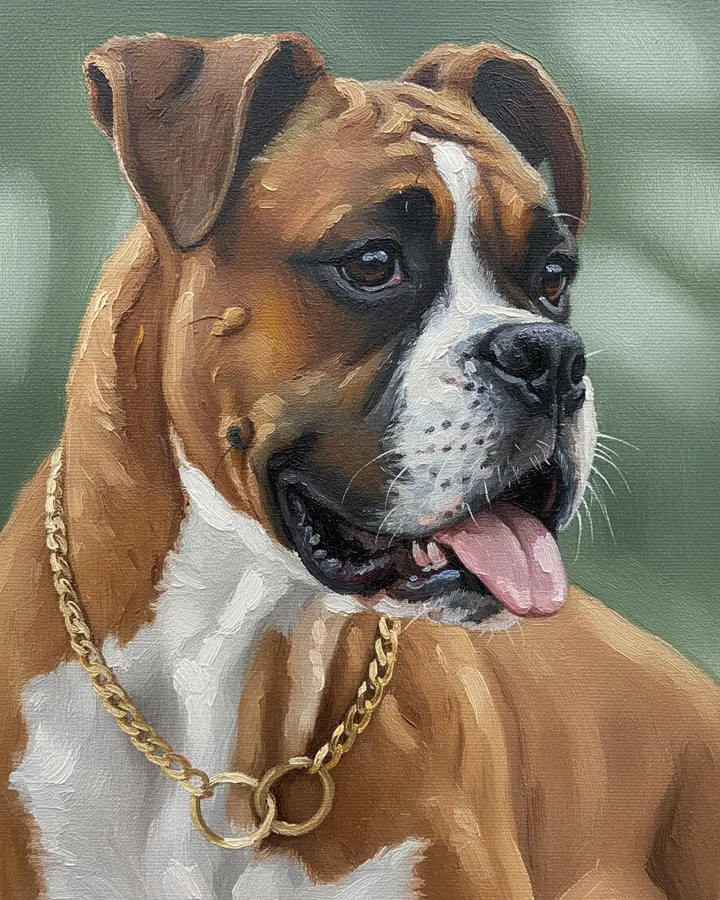
Oil painting
Thick brush strokes, rich color. Its own page shows the full test and tips.
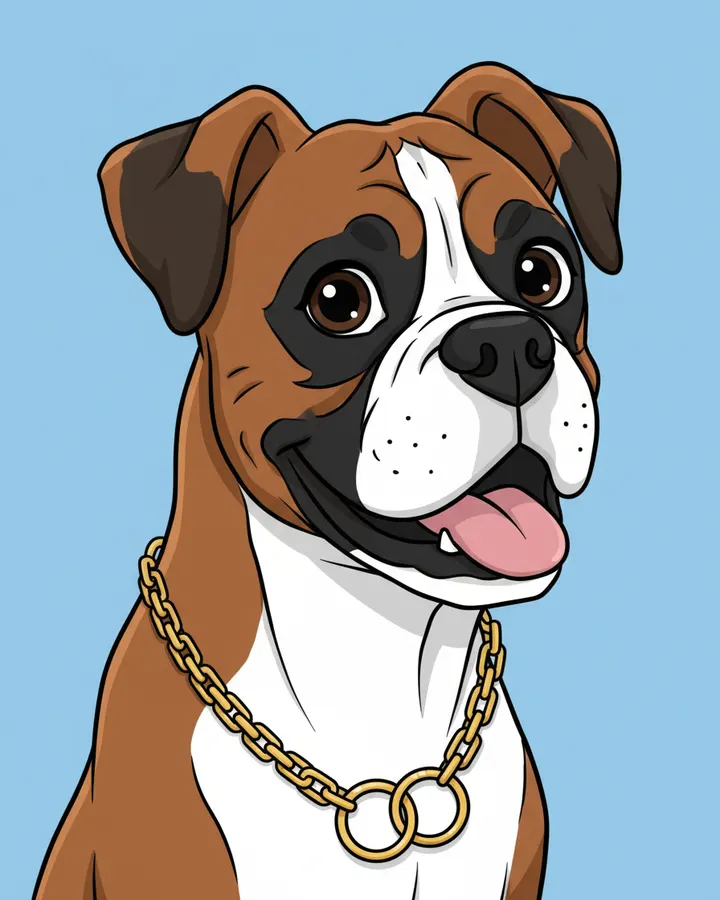
Cartoon
Bold outlines, flat bright color. Its own page shows the full test and tips.
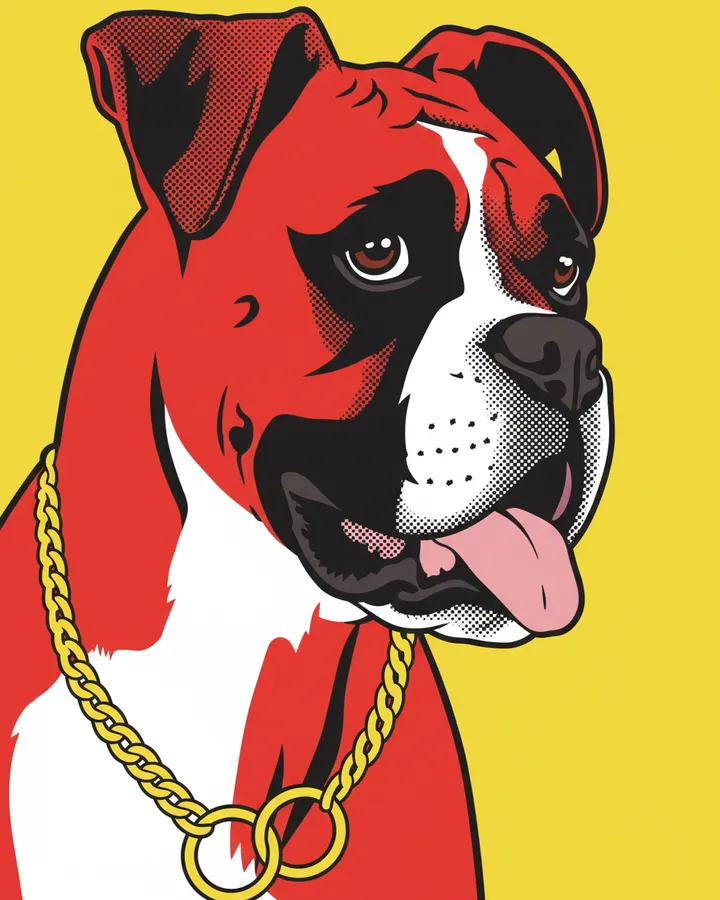
Pop art
Four loud colors, halftone dots. Its own page shows the full test and tips.
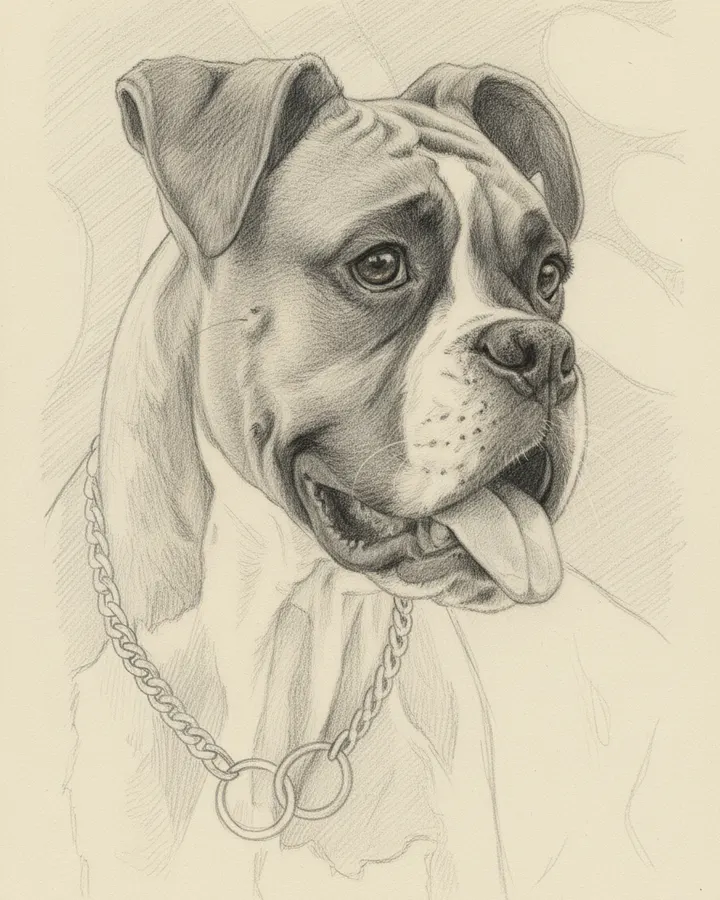
Pencil sketch
Graphite on cream paper. Its own page shows the full test and tips.
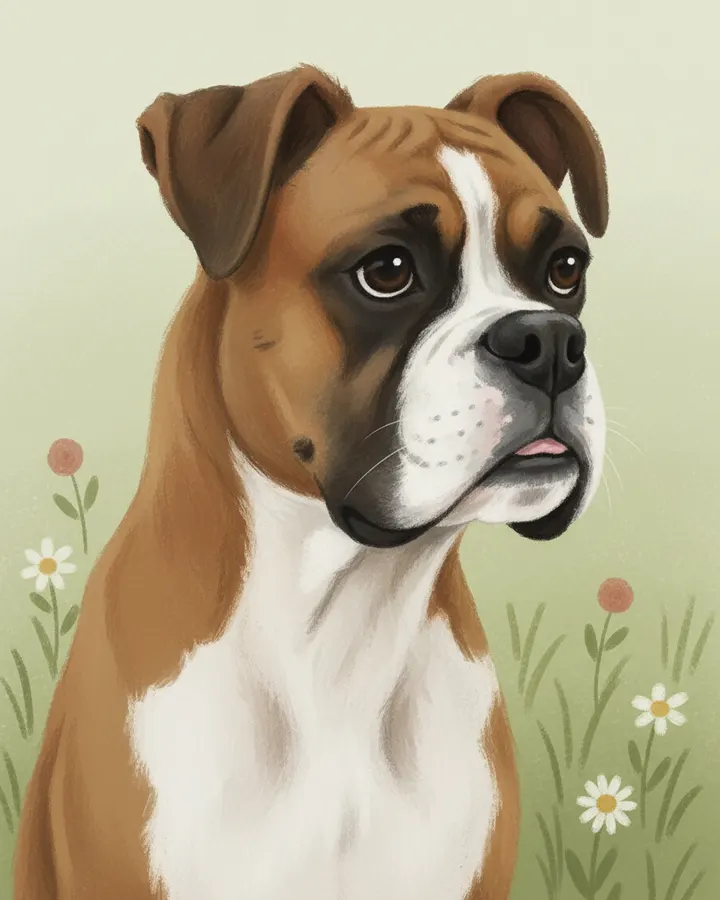
Storybook
Gentle picture book illustration. Pick it in the Pet only tab of the studio.
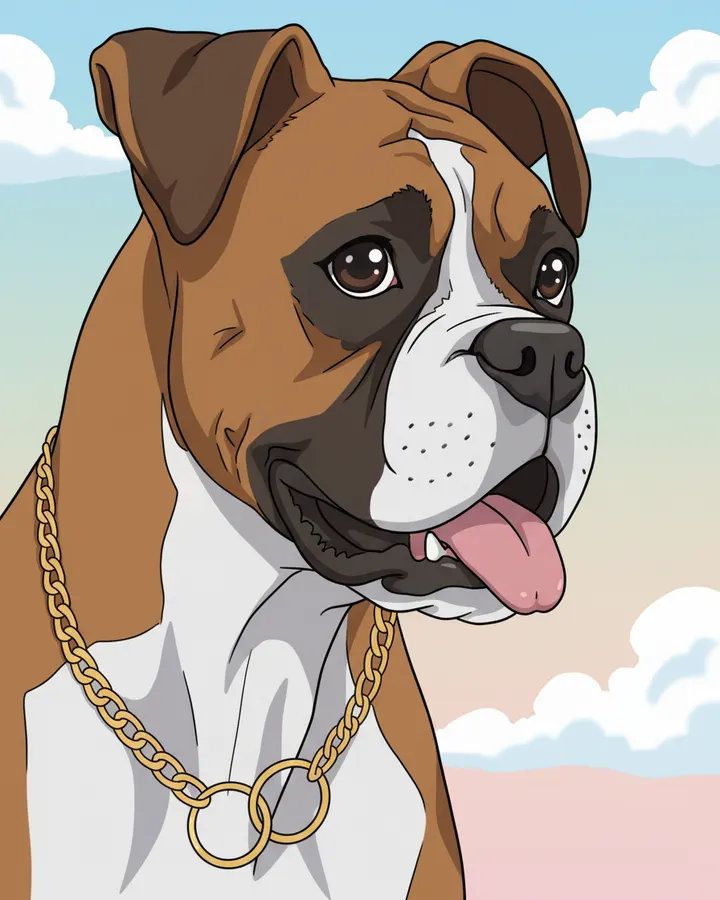
Anime
Crisp lines, big bright eyes. Pick it in the Pet only tab of the studio.
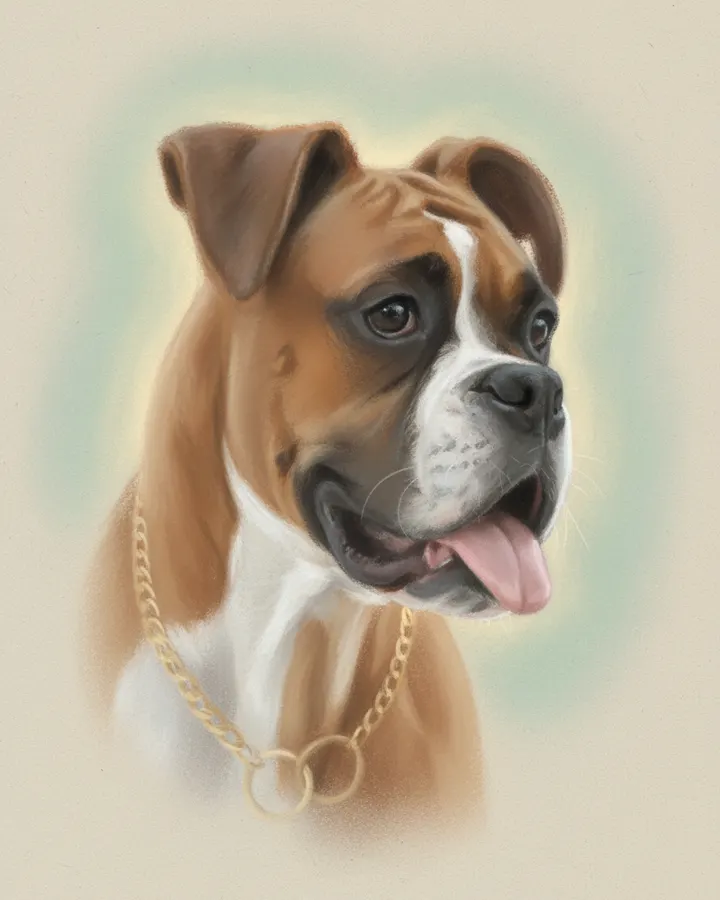
Soft pastel
Quiet, light, good for a memorial. Pick it in the Pet only tab of the studio.
Which photos work best
The photos matter more than the scene. So pick a photo of yourself with a sharp face, in soft daylight, turned toward the camera. Sunglasses or a heavy filter give the model less to copy.
For your pet, pick a photo where it looks at the camera, with both eyes and both ears in the frame. In addition, a photo that shows the body gives the model more to go on for the size. A dark or blurry photo gives it little to copy, so the coat pattern can drift.
Each file can be up to 12 MB and needs at least 256 px on each side. However, a sharp phone photo is already enough. Also, upload only photos of yourself or of people who agreed to it.
AI pet portrait generator tested with two separate photos
We sent two separate test photos through the same scene prompt this page uses. The person is illustrative: an image model made that photo, so it shows no real person. So compare both photos with the picture that came back, and judge the likeness yourself.
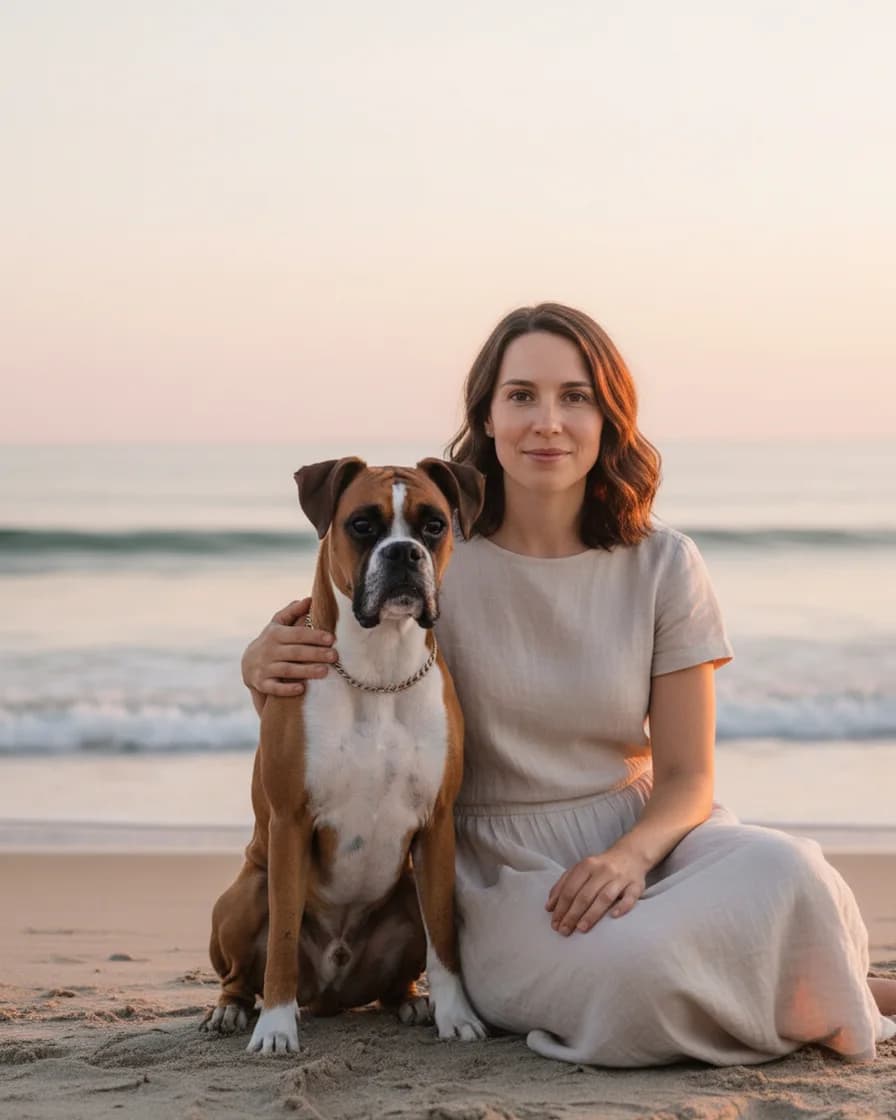
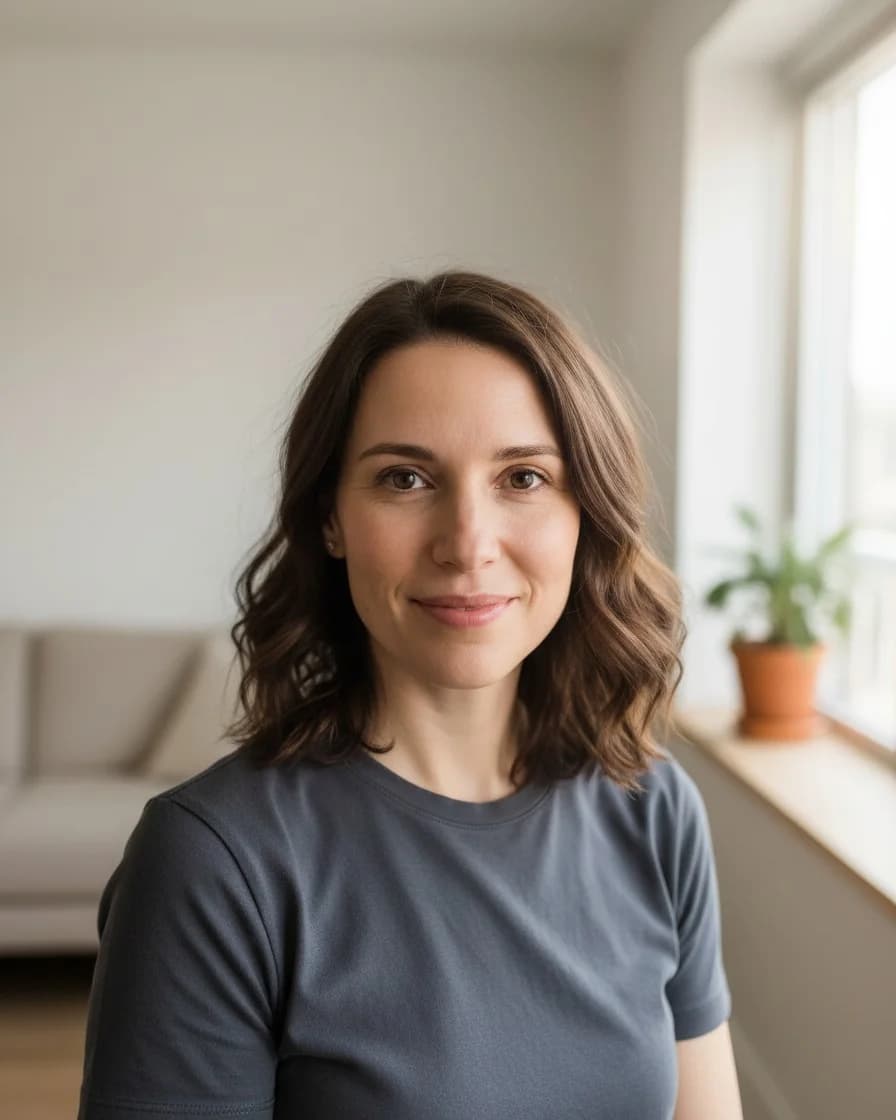
- Test photo
- Two separate photos: an illustrative photo of a woman and a boxer dog photo
- Result
- By the sea scene, both in one picture
- HD file
- 2048 x 2560 px JPG
- Print size at 256 dpi
- 8 x 10 in
- Free preview
- 1024 x 1280 px, watermarked
- Made by
- gemini-2.5-flash-image
- Scene prompt
- 159 words
- HD file size
- 700 KB
How we test: every scene gets the same illustrative person and the same pet photo, and we compare both faces with the photos by hand. More on the about page.
What this AI pet portrait generator does not do
A scene is a generated picture, not a photograph of a real moment. The model invents the beach, the sofa and your clothes. So for a record of a real day, or for a real family session, a photographer is the better choice.
Each picture also holds one person and one pet only. Therefore, a group, a couple or a second pet does not fit. In addition, the model can change small details, for example a collar, the exact pattern of spots or a detail of a face. Always check the free preview before you spend a credit.
Finally, we sell a digital file only. So there is no printing, framing or shipping, and you take the file to any print shop you like. The HD file prints sharp at 8 x 10 inches. Larger prints still work, but they look softer when you stand close.
Pick your AI pet portrait generator page
Each page below covers one kind of picture, one style or one kind of pet in detail, so start with the one that matches your plan.
AI pet portrait generator pricing
If you only want to see the two of you in a scene, the free daily previews are enough. However, a print needs the clean HD file, and that costs one credit. A credit buys either kind of picture. See the pricing page for details.
A scene of you and your pet, or your pet in any of the ten styles, at 1024 x 1280 px with a watermark.
Start free- Clean 2048 x 2560 files
- No watermark
- Credits never expire
- About $0.22 per portrait
- No watermark
- Priority support
- Cancel anytime
- No watermark
- Priority support
- For shelters and pet shops
- Priority queue
- Everything in Studio
AI pet portrait generator comparisons
Not sure which tool to use? Then read these honest comparisons before you decide, because each one also says when the other option is the better pick.
AI pet portrait generator FAQ
Is the AI pet portrait generator free?
Yes, for the daily free previews, and you need no account or card. The free previews count across both tabs, and each one has a watermark. After that, one credit makes one picture and returns the clean HD file.
Do we need a photo together?
No. You upload one photo of yourself and one photo of your pet. They can come from different days and places, because the model builds a new scene around you both.
Is the picture from the AI pet portrait generator a real photo?
No. A scene looks like a photograph, but an image model generates it from your two photos. So the moment in the picture never happened.
Will the picture look like me and my pet?
Usually, yes. The prompt tells the model to keep your face, hair and build, as well as the breed, coat colors and markings of your pet. However, small details can change, so check the free preview first.
Can I add a second pet or another person?
No. Each scene holds one person and one pet. Instead, make one picture per pet. In the Pet only tab, one pet per photo also works best.
Can I get the exact preview I liked in HD?
Yes. Under a free preview you will find a button for that exact picture in HD. One credit then returns that same picture as the clean 2048 x 2560 px JPG, so the model does not make it again. This works for 24 hours and needs an account with credits.
Do you keep my photos?
No. We hold the photos in memory for that one request and send them to the image model provider. Then we forget them. We do not store the photos or the picture on our servers.
Which model does the AI pet portrait generator use?
An image model from Google, Gemini 2.5 Flash Image, makes the picture from your photos and a written prompt. Many people know it by the nickname Nano Banana.
How big can I print the picture?
The HD file is 2048 x 2560 px. So it prints at 8 x 10 inches at 256 dpi. Larger sizes work at a lower dpi, but they look softer up close.