Best AI pet portrait generator: four tools compared honestly
The best AI pet portrait generator depends on what you want from it. Adobe Firefly gives the most control, Pixelbin is the quickest free try, and Fotor adds prompts and a phone app. Easelpaw fits when you want ten fixed styles, a free likeness check and a file sized for an 8 x 10 inch print.
By The Easelpaw team (Product and testing). Last updated .
Best AI pet portrait generator: side by side
We read each public page on October 10, 2026. So where a page does not state a fact, the table says so.
| Easelpaw | Adobe Firefly | Pixelbin | Fotor | |
|---|---|---|---|---|
| Free tier | Two free previews a day | Free daily generations; the number is not stated on their page | Up to three pet portraits a month, plus ten free credits after sign-up | Free credits for every user; the number is not stated on their page |
| Paid price | $9.99 once for 10 HD portraits, or plans from $9.99 a month | Four paid Firefly plans; the prices did not load in the page text we read | More credits and API access on paid plans; price not stated on their page | Pro, Pro+ and Max plans billed annually; the prices did not load in the page text we read |
| Account for the free tier | No | Yes, a free Adobe account | No, per their page | Not stated on their page |
| How you choose the look | Pick one of ten fixed styles; no prompt | Write a prompt, add a reference photo, then set style options | One click; no prompt | Upload a photo and write a prompt, or remix a preset |
| Styles named on the page | Royal, Renaissance, Watercolor, Oil painting, Cartoon, Pop art, Pencil sketch, Storybook, Anime, Soft pastel | Cartoon, anime, watercolor, sketch, fantasy, realism and more | Cartoon style, human-like portraits and a Studio Ghibli style look | Oil painting, watercolor, cartoon, digital illustration and themed characters |
Files, watermarks and pets compared
| Easelpaw | Adobe Firefly | Pixelbin | Fotor | |
|---|---|---|---|---|
| Upload limits | JPG, PNG or WebP, up to 12 MB | Not stated on their page | JPG, JPEG, PNG or WEBP, up to 10 MB | Not stated on their page |
| Output size | Free preview 1024 x 1280 px WebP; paid file 2048 x 2560 px JPG | High resolution download; pixel size not stated on their page | Same resolution as the upload, per their page | High resolution download; pixel size not stated on their page |
| Watermark | On free previews; none on paid files | Not stated on their page | None, per their page | None on downloads, per their page |
| Which pets | Tested on a dog and a cat; one pet per photo works best | Any animal, and several pets in one frame | Pets in general; the examples focus on dogs | Mostly dogs and cats; also rabbits, birds or hamsters |
| Model | Google Gemini 2.5 Flash Image | Adobe Firefly models, or a partner model such as Gemini 3.1 | Not stated on their page | Not stated on their page |
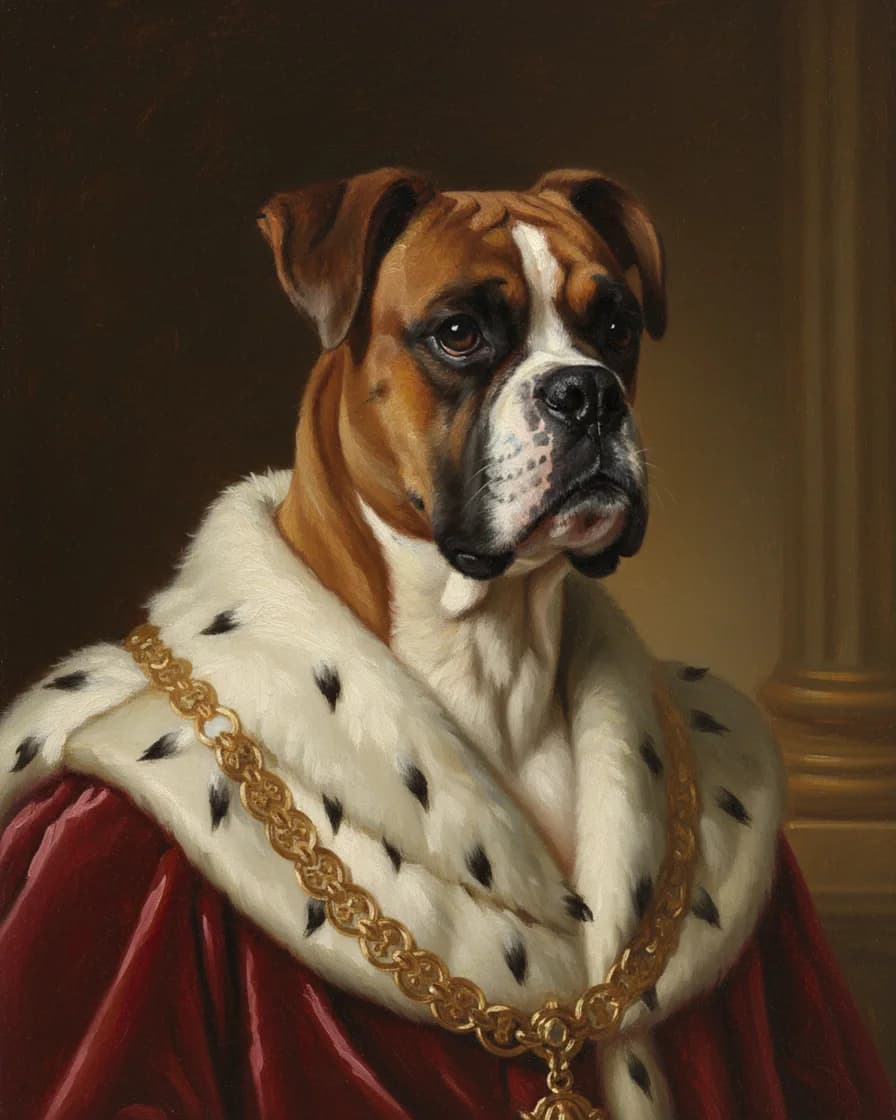
How we looked for the best AI pet portrait generator
First, a word on method. We read the public page of each tool on October 10, 2026, and we wrote down only what that page states. So every cell in the table comes from a page you can open yourself. The links sit at the bottom of this article.
However, we did not paint our test photo in the other three tools. Therefore, this guide compares facts, such as free limits and file sizes. It does not rank picture quality. In addition, we make one of the four tools, so read our own column with that in mind.
Easelpaw: ten fixed styles and a known print size
Easelpaw is our tool, and it keeps its job narrow. In the Pet only tab, you upload one photo, pick one of ten styles and get a portrait back. There is no prompt to write. As a result, it suits a pet owner who wants a royal or watercolor portrait without learning prompt craft.
Easelpaw also makes a picture of you and your pet together. For that, you upload two separate photos and pick one of twelve scenes. We did not check whether the other three tools offer the same, so the table leaves it out.
The free tier gives two free previews a day, and each one has a watermark. A paid portrait is a clean 2048 x 2560 px JPG instead, so it prints at 8 x 10 inches. However, the tool has clear limits. It offers ten looks only, and it sells a digital file, not a print.
Adobe Firefly: the most control
Adobe Firefly is a full image generator, and its pet page shows that. For example, you can write a prompt, add a reference photo and then set composition, effects, color, lighting and camera angle. Their page also says you can include several pets in one frame and paint any animal.
In addition, Firefly connects to Photoshop and Illustrator for later edits. Their page says the tool is free with an Adobe account, with free daily generations. However, it does not say how many. So choose Firefly when you enjoy steering the picture yourself.
Pixelbin: the quickest free try
Pixelbin takes the opposite path. Their page describes a one click tool with no prompts, and it needs no account for the first tries. Specifically, you get up to three pet portraits a month for free. After that, a sign-up adds ten free credits.
Their page also says downloads carry no watermark and keep the resolution of your upload. However, the looks it names are narrow: a cartoon style, a human-like portrait and a Studio Ghibli style picture. So it is a good pick for a fast, funny avatar, and a weaker one for a classic painted portrait.
Fotor: prompts plus a phone app
Fotor sits between the two. First, you upload a photo. Then you describe the scene in a prompt, or you remix a preset. Their page names oil painting, watercolor, cartoon and themed characters, for example a wizard or an astronaut.
Fotor also has a free mobile app, so you can paint a portrait on a phone. Their page says every user gets free credits and that downloads have no watermark. However, it does not state how many credits you get, and the plan prices did not load in the text we read.
Which is the best AI pet portrait generator for you
Start with what you plan to do with the picture. If you want full control or a scene with several pets, Adobe Firefly is the better choice. If you want one funny picture today and no account, try Pixelbin first. Similarly, pick Fotor if you like writing prompts or you work on a phone.
Choose Easelpaw instead when you want a painted look from a short list and a file with a known print size. Because every tool here has a free tier, the safest plan is simple. Upload the same photo to two of them and compare the likeness yourself.
What this best AI pet portrait generator guide could not verify
Some facts were missing on the day we looked. For example, the Adobe and Fotor plan prices load with a script, so they did not appear in the page text we read. Similarly, no page stated the pixel size of its download, except ours.
We also wanted to include DreamPets. However, its site shows nothing without its app script, so we could not read a single fact from it. Therefore, we left it out instead of guessing. Prices and limits change often, so check each page before you pay.
Best AI pet portrait generator FAQ
What is the best AI pet portrait generator?
There is no single winner. Adobe Firefly offers the most control, Pixelbin is the fastest free try, Fotor adds prompts and an app, and Easelpaw offers ten fixed painted styles with a known print size.
Is the best AI pet portrait generator a free one?
It can be, because all four have a free tier. Easelpaw gives two free previews a day, and Pixelbin lists three portraits a month. Adobe Firefly and Fotor also offer free use, but their pages do not state a number.
Which one has no watermark?
Pixelbin and Fotor say their downloads have no watermark. Easelpaw puts a watermark on free previews and none on paid files. However, the Adobe Firefly pet page does not mention watermarks.
Can I print a portrait from these tools?
Yes, in each case you download a file and print it yourself. Easelpaw states the size, 2048 x 2560 px, which prints at 8 x 10 inches. The other pages say high resolution without a pixel size.
Do I need to write a prompt?
Not always. Easelpaw and Pixelbin work without a prompt. In contrast, Adobe Firefly and Fotor ask you to describe the picture, which gives you more control.
Which tool works for animals other than dogs and cats?
Adobe Firefly says it works with any animal, and Fotor names rabbits, birds and hamsters. We tested Easelpaw on a dog and a cat only, so we make no promise for other pets.